Last Updated: 13 July, 2026
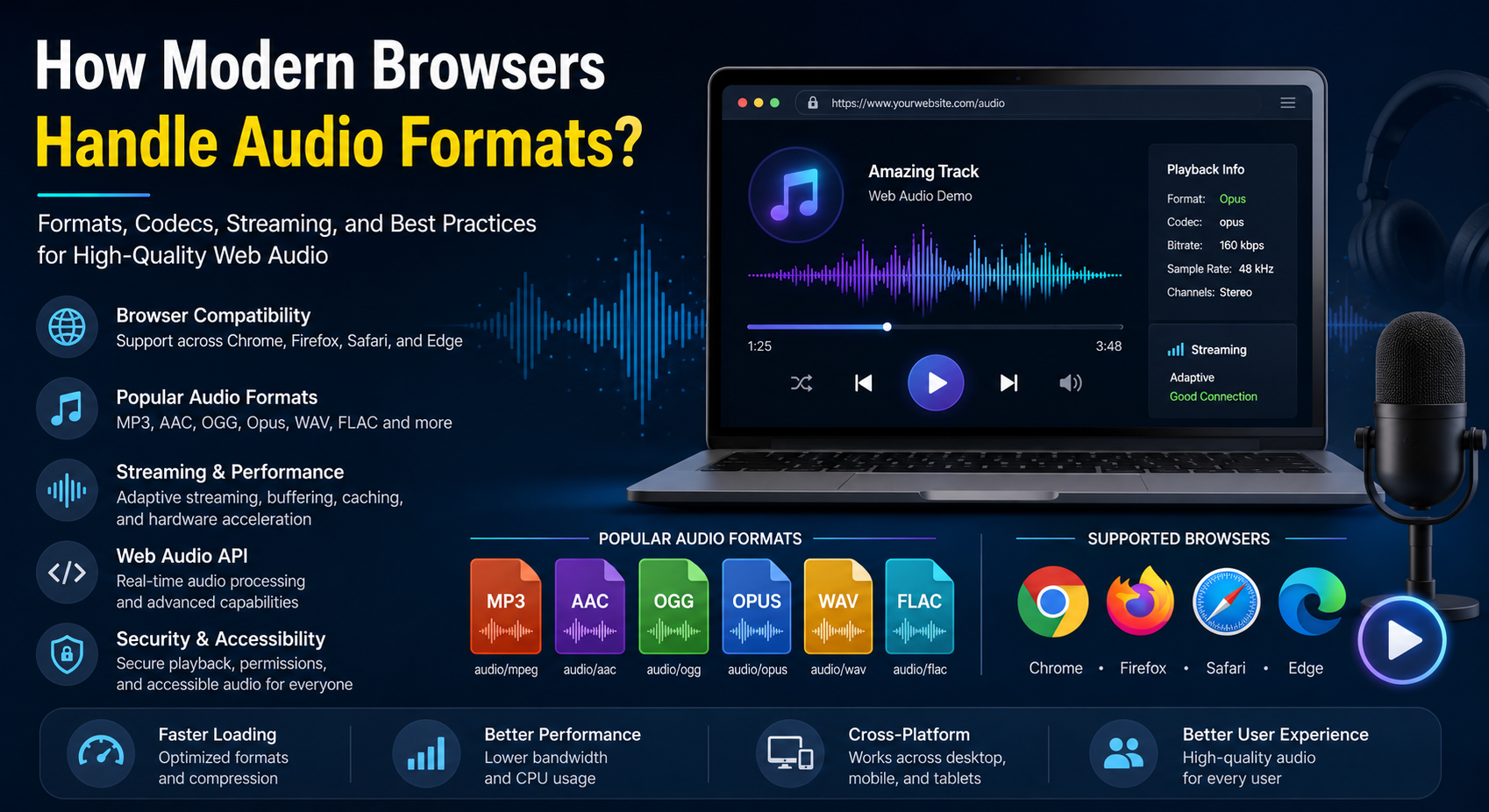
How Modern Browsers Handle Audio Formats?
Audio has become an essential part of today’s web. From music streaming platforms and podcasts to online meetings, educational portals, gaming, and interactive web applications, browsers are responsible for decoding, processing, and playing millions of audio files every day.
Modern browsers have evolved significantly from the days when plugins like Flash were required to play multimedia content. Today, browsers include powerful built-in media engines capable of decoding multiple audio codecs, supporting adaptive streaming, processing real-time audio, and delivering high-quality playback across desktops, tablets, and smartphones.
Understanding how browsers handle audio formats helps developers choose the right file types, improve compatibility, reduce bandwidth consumption, and deliver a smoother listening experience.
This guide explains the complete lifecycle of browser audio playback, supported formats, codec differences, streaming technologies, optimization techniques, and future trends.
Why Audio Format Support Matters
Choosing the wrong audio format can negatively affect user experience.
Common issues include:
- Audio failing to play in certain browsers
- Large file sizes causing slow loading
- Higher bandwidth consumption
- Increased buffering
- Poor sound quality
- Excessive CPU usage during decoding
Selecting appropriate formats ensures:
- Faster page loading
- Better browser compatibility
- Higher playback quality
- Lower hosting costs
- Improved SEO and Core Web Vitals
- Better mobile performance
The Browser Audio Playback Process
When a user clicks the play button, several operations happen behind the scenes.
1. Downloading the Audio
The browser first requests the audio file from the server using HTTP or HTTPS.
Depending on server configuration, it may:
- Download the complete file
- Stream only required portions
- Cache frequently accessed data
- Resume interrupted downloads
2. Detecting the Audio Format
The browser identifies:
- File extension
- MIME type
- Container format
- Codec information
For example:
| File | Container | Codec |
|---|---|---|
| MP3 | MPEG | MP3 |
| M4A | MP4 | AAC |
| OGG | OGG | Vorbis or Opus |
| WAV | WAV | PCM |
| FLAC | FLAC | FLAC |
3. Decoding the Audio
Compressed audio cannot be played directly.
The browser uses its built-in decoder to convert compressed audio into raw PCM samples that speakers can reproduce.
Popular decoding engines include:
- FFmpeg
- Media Foundation (Windows)
- CoreAudio (macOS)
- Android MediaCodec
- Platform-specific multimedia frameworks
4. Buffering
Browsers buffer audio before playback to reduce interruptions.
Benefits include:
- Smooth playback
- Reduced stuttering
- Better streaming performance
- Less network dependency
Adaptive buffering changes dynamically based on connection speed.
5. Audio Rendering
After decoding, audio is sent through the browser’s rendering engine before reaching:
- Headphones
- Speakers
- Bluetooth devices
- USB audio interfaces
Common Audio Formats Supported by Modern Browsers
MP3
MP3 remains the most universally supported audio format.
Advantages
- Excellent browser compatibility
- Small file sizes
- Fast decoding
- Broad hardware support
Best For
- Music
- Podcasts
- Voice recordings
- General websites
AAC
AAC offers better sound quality than MP3 at similar bitrates.
Supported by:
- Chrome
- Safari
- Edge
- Firefox (platform dependent)
Ideal for:
- Streaming services
- Mobile applications
- High-quality music
OGG Vorbis
OGG Vorbis is an open-source alternative to MP3.
Advantages:
- No licensing costs
- Excellent compression
- Good quality
- Popular in Linux environments
Supported by most modern browsers.
Opus
Opus is one of today’s most advanced audio codecs.
Benefits include:
- Extremely low latency
- Outstanding voice quality
- Excellent music compression
- Small file sizes
Widely used in:
- Discord
- WebRTC
- Voice chat
- Online conferencing
WAV
WAV stores mostly uncompressed audio.
Advantages:
- Maximum quality
- Easy editing
- No compression artifacts
Disadvantages:
- Very large files
- High bandwidth usage
Usually used during production rather than website delivery.
FLAC
FLAC provides lossless compression.
Benefits:
- Studio-quality audio
- Smaller than WAV
- Perfect preservation of original sound
Used primarily by:
- Audiophile websites
- Music archives
- Professional applications
Browser Compatibility Overview
| Format | Chrome | Firefox | Safari | Edge |
|---|---|---|---|---|
| MP3 | ✅ | ✅ | ✅ | ✅ |
| AAC | ✅ | ✅* | ✅ | ✅ |
| OGG Vorbis | ✅ | ✅ | Partial | ✅ |
| Opus | ✅ | ✅ | ✅ | ✅ |
| WAV | ✅ | ✅ | ✅ | ✅ |
| FLAC | ✅ | ✅ | ✅ | ✅ |
*Support may depend on operating system capabilities.
HTML5 Audio Element
Modern browsers use the HTML5 <audio> element.
Example:
<audio controls>
    <source src="music.mp3" type="audio/mpeg">
    <source src="music.ogg" type="audio/ogg">
    Your browser does not support audio playback.
</audio>
The browser automatically selects the first supported format.
This approach ensures maximum compatibility.
MIME Types Used by Browsers
Correct MIME types help browsers recognize audio content.
| Format | MIME Type |
|---|---|
| MP3 | audio/mpeg |
| AAC | audio/aac |
| WAV | audio/wav |
| OGG | audio/ogg |
| Opus | audio/opus |
| FLAC | audio/flac |
Incorrect MIME types can prevent playback.
Streaming Audio in Modern Browsers
Instead of downloading an entire file first, browsers often stream audio.
Streaming provides:
- Faster startup
- Reduced waiting time
- Lower memory usage
- Better handling of large media
Popular streaming protocols include:
- HTTP Live Streaming (HLS)
- MPEG-DASH
- Progressive Download
Adaptive Audio Streaming
Adaptive streaming automatically adjusts audio quality according to network speed.
Benefits include:
- Fewer interruptions
- Lower buffering
- Reduced bandwidth usage
- Better mobile experience
Streaming platforms commonly switch between multiple bitrate versions in real time.
Browser Audio Caching
Browsers cache audio files to avoid repeated downloads.
Caching improves:
- Loading speed
- Offline support
- User experience
- Reduced server load
Developers can configure cache policies using HTTP headers.
Hardware Acceleration
Modern browsers leverage hardware acceleration when available.
Advantages include:
- Lower CPU usage
- Longer battery life
- Better playback performance
- Improved multitasking
Hardware acceleration is especially important for mobile devices.
The Web Audio API
The Web Audio API allows developers to manipulate audio directly in the browser.
Capabilities include:
- Audio visualization
- Equalizers
- Spatial audio
- Filters
- Mixing
- Volume control
- Oscillators
- Audio effects
Applications include:
- Music editors
- Games
- Online instruments
- Audio analyzers
- Voice applications
Browser Security and Audio
Modern browsers apply several security policies.
Examples include:
- Blocking autoplay with sound
- Secure media loading over HTTPS
- Permission controls for microphones
- Cross-Origin Resource Sharing (CORS)
These measures protect users from unwanted audio playback and privacy risks.
Mobile Browser Considerations
Mobile browsers introduce additional restrictions.
Common behaviors include:
- User interaction required before playback
- Battery optimization
- Limited background playback
- Automatic suspension of inactive tabs
Developers should always test audio behavior on Android and iOS devices.
Accessibility Considerations
Accessible audio improves usability for everyone.
Recommendations include:
- Provide captions when appropriate
- Include transcripts
- Offer playback speed controls
- Support keyboard navigation
- Clearly label audio controls
Accessibility also benefits SEO by making content easier for search engines to understand.
Future of Browser Audio
Audio technology continues to advance rapidly.
Emerging trends include:
- AI-powered noise reduction
- Spatial and immersive audio
- Browser-based music production
- Real-time voice translation
- Low-latency cloud gaming audio
- Advanced Web Audio processing
- Better hardware integration
As browsers become more powerful, web applications will increasingly deliver experiences that rival native desktop software.
Best Practices Summary
To ensure reliable and high-quality audio playback:
- Use MP3 for universal compatibility.
- Consider Opus for modern web applications.
- Include multiple source formats.
- Configure correct MIME types.
- Use adaptive streaming for large audio libraries.
- Enable browser caching.
- Optimize bitrate for your audience.
- Test playback across major browsers.
- Follow accessibility guidelines.
- Monitor performance on desktop and mobile devices.
Conclusion
Modern browsers do far more than simply play sound files. They detect audio formats, decode compressed data, manage buffering, optimize streaming, leverage hardware acceleration, and provide powerful APIs for real-time audio processing. Thanks to HTML5 and modern multimedia engines, developers can now build sophisticated audio experiences without relying on third-party plugins.
By understanding browser support for formats such as MP3, AAC, OGG, Opus, WAV, and FLAC, developers can make informed decisions that improve compatibility, reduce bandwidth usage, enhance playback quality, and create faster, more engaging web applications. Following current best practices ensures users enjoy seamless audio experiences regardless of the device or browser they use.
FAQ
Q1: Which audio format offers the best browser compatibility? A: MP3 provides the broadest compatibility across modern browsers and devices.
Q2:Why do websites offer multiple audio formats? A: Multiple formats ensure playback compatibility across different browsers and operating systems.
Q3: What is the advantage of the Opus audio codec? A: Opus delivers excellent audio quality with low latency and efficient compression.
Q4: Can browsers stream audio without downloading the entire file? A: Yes, modern browsers support progressive and adaptive streaming for faster playback.
Q5: What API enables advanced audio processing in browsers? A: The Web Audio API provides powerful tools for creating, analyzing, and manipulating audio in real time.