Last Updated: 29 Jun, 2026
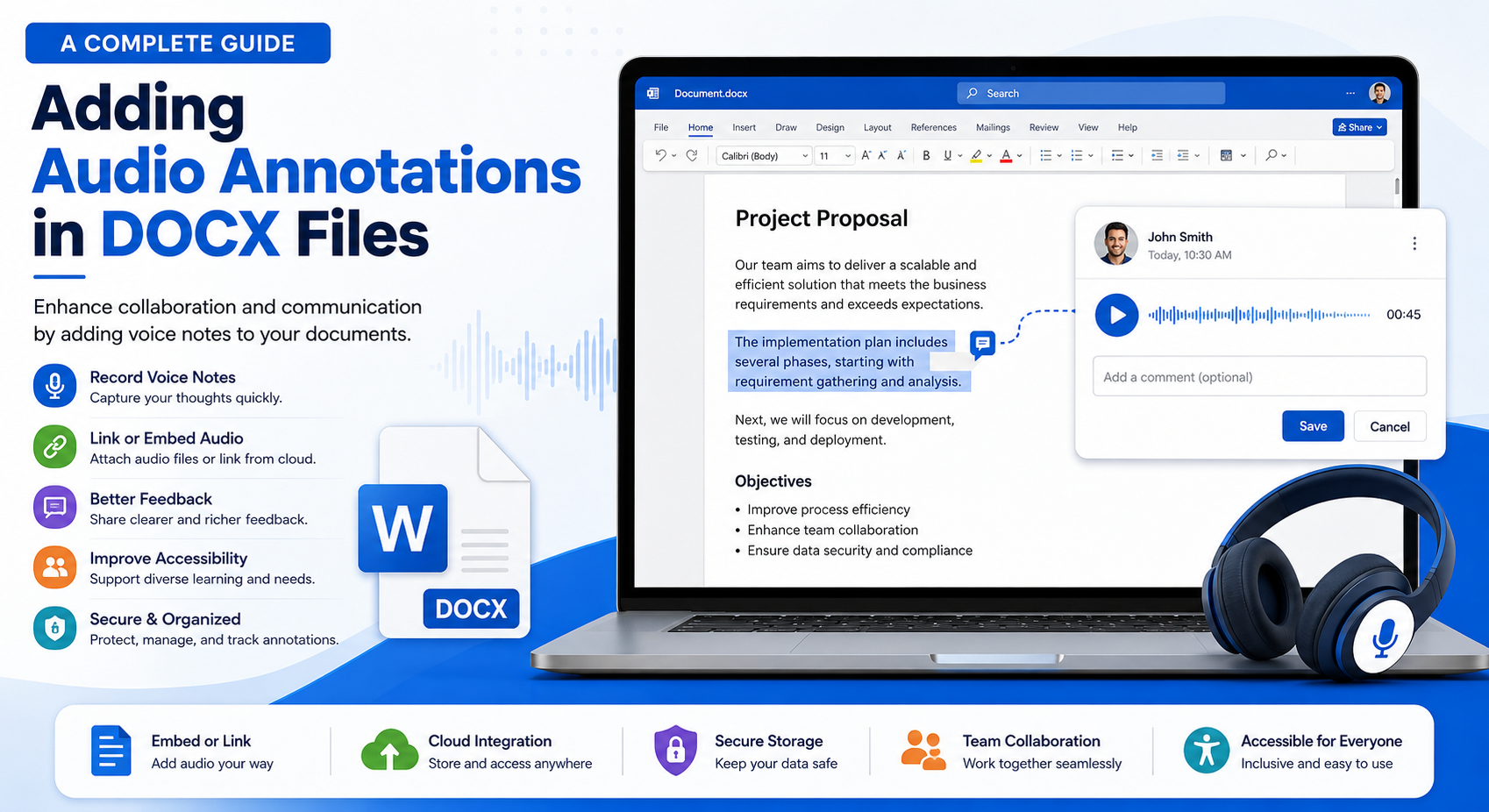
How to Add Audio Annotations in DOCX Files: Methods, Benefits, and Best Practices
Modern document collaboration is evolving beyond plain text comments. Teams increasingly rely on voice notes to explain complex ideas, provide feedback, and simplify document reviews. Audio annotations make communication more natural by allowing reviewers to record spoken explanations instead of typing lengthy comments.
Whether you’re building a document management system, an online editor, or an enterprise collaboration platform, supporting audio annotations in DOCX files can significantly improve user experience.
In this guide, we’ll explore what audio annotations are, how they can be implemented in DOCX documents, their benefits, technical challenges, and best practices for developers.
What Are Audio Annotations?
Audio annotations are voice recordings attached to specific parts of a document. Instead of writing comments, users record spoken explanations that reviewers can play back while reading the document.
Unlike traditional text comments, audio annotations capture:
- Tone of voice
- Emphasis
- Detailed explanations
- Pronunciation
- Natural conversation
This makes document collaboration faster and more expressive.
Can DOCX Files Store Audio?
The DOCX format is based on the Office Open XML (OOXML) standard. While Microsoft Word does not provide a built-in “Record Voice Comment” feature like some PDF editors, audio can still be associated with a document using several techniques.
Common approaches include:
- Embedding audio files
- Linking external audio recordings
- Using OLE objects
- Hyperlinks to cloud-hosted audio
- Custom XML parts for metadata
- Office Add-ins for enhanced functionality
Because DOCX is essentially a ZIP package containing XML files and related resources, developers have flexibility in extending document capabilities.
Why Use Audio Annotations?
Audio feedback offers several advantages over typed comments.
Faster Reviews
Speaking is generally much faster than typing. Reviewers can explain complex suggestions in seconds.
Improved Collaboration
Voice notes reduce misunderstandings by preserving tone and context.
Better Accessibility
Audio annotations assist users who have difficulty typing or reading lengthy text.
More Detailed Feedback
Explaining formatting issues, legal clauses, or technical documentation becomes easier with spoken instructions.
Enhanced Learning
Educational documents become more interactive when instructors include verbal explanations.
Common Methods for Adding Audio to DOCX Files
1. Embedding Audio Files
Audio files such as MP3 or WAV can be embedded into the document package.
Advantages:
- Self-contained document
- No internet connection required
- Portable across systems
Limitations:
- Larger file size
- Limited support in some editors
2. Hyperlinks to Audio Files
Instead of embedding recordings, documents can include links to externally hosted audio.
Example:
Review Section 3:
https://example.com/audio/review3.mp3
Advantages:
- Smaller document size
- Easy to update recordings
- Cloud storage integration
Disadvantages:
- Internet connection required
- Link maintenance
3. Office Add-ins
Modern Office Add-ins can provide custom panels for recording and playing audio annotations.
Features may include:
- Voice recording
- Cloud synchronization
- Playback controls
- Annotation management
- Team collaboration
This approach provides the best user experience for enterprise applications.
4. OLE Embedded Objects
Older Microsoft Office technologies allow audio files to be embedded as Object Linking and Embedding (OLE) objects.
Advantages:
- Native Office compatibility
- Embedded content
Disadvantages:
- Limited cross-platform support
- Larger documents
5. Custom XML Metadata
Developers can store annotation metadata inside Custom XML Parts while keeping audio files separately.
Example metadata:
<annotation>
    <author>John Smith</author>
    <location>Paragraph 15</location>
    <audio>review15.mp3</audio>
    <created>2026-06-28</created>
</annotation>
This method is ideal for document management systems.
Typical Workflow
A document review system may follow this workflow:
User opens DOCX
        │
        ▼
Selects text
        │
        ▼
Records voice comment
        │
        ▼
Audio is stored
        │
        ▼
Annotation metadata saved
        │
        ▼
Another user opens document
        │
        ▼
Clicks annotation
        │
        ▼
Voice playback begins
Developer Considerations
When implementing audio annotations, developers should think about several technical aspects.
Audio Format
Popular choices include:
| Format | Advantages | Drawbacks |
|---|---|---|
| MP3 | Small size | Lossy compression |
| WAV | High quality | Large files |
| AAC | Efficient compression | Device compatibility |
| OGG | Open format | Limited Office support |
Storage Strategy
Possible options include:
- Embedded in DOCX
- Cloud storage
- Local file system
- Database
- SharePoint
- OneDrive
Each option has trade-offs between portability, performance, and maintenance.
Security
Protect audio annotations using:
- Encryption
- User authentication
- Access permissions
- Digital signatures
- Secure cloud storage
Sensitive business discussions should never be stored without proper protection.
Version Control
If multiple reviewers record feedback simultaneously, maintain:
- Author information
- Timestamp
- Document version
- Revision history
This avoids conflicting annotations.
Accessibility Benefits
Audio annotations greatly improve accessibility.
They help:
- Users with dyslexia
- Visually impaired users
- Individuals with motor disabilities
- Language learners
- Remote teams
Providing both audio and text alternatives ensures documents remain accessible to everyone.
Performance Considerations
Large numbers of embedded recordings may affect document performance.
Best practices include:
- Compress audio files
- Stream external recordings
- Cache frequently played audio
- Remove unused annotations
- Limit recording duration
Efficient storage keeps documents responsive.
Example Use Cases
Legal Reviews
Lawyers explain contract revisions verbally.
Education
Teachers provide spoken feedback on assignments.
Medical Documentation
Doctors leave verbal notes alongside patient reports.
Technical Documentation
Engineers explain diagrams and design decisions.
Corporate Collaboration
Project managers provide meeting summaries directly inside documents.
Best Practices
For reliable implementation:
- Prefer MP3 for efficient storage.
- Use meaningful annotation names.
- Store author and timestamp metadata.
- Encrypt sensitive recordings.
- Keep recordings concise.
- Support offline playback where possible.
- Provide text alternatives for accessibility.
- Validate audio before embedding.
- Backup annotation metadata.
- Test across multiple Office versions.
Challenges
Developers should be aware of several limitations.
Cross-Platform Compatibility
Not every DOCX editor supports embedded multimedia equally.
File Size Growth
Multiple recordings can significantly increase document size.
Security Risks
Embedded files may introduce security concerns if not validated.
Synchronization
External audio links require reliable storage and availability.
Future Trends
As AI-powered productivity tools become more common, audio annotations are likely to evolve with features such as:
- Automatic speech-to-text transcription
- AI-generated summaries
- Voice translation
- Speaker identification
- Smart search across recordings
These capabilities will make document collaboration even more efficient.
Conclusion
Audio annotations bring a new level of communication to DOCX documents by combining written content with spoken explanations. Although the DOCX format does not natively support voice comments in the same way as PDFs, developers can implement effective solutions using embedded media, hyperlinks, Office Add-ins, custom XML, or cloud-based storage.
By following best practices for performance, security, accessibility, and compatibility, developers can create document workflows that are more engaging, collaborative, and user-friendly. As document technologies continue to evolve, audio annotations will play an increasingly important role in improving communication across education, business, legal, healthcare, and enterprise applications.
Frequently Asked Questions (FAQ)
1. Can DOCX files contain audio recordings?
Yes, audio can be embedded or linked using supported techniques, although Microsoft Word does not provide native voice comments.
2. What is the best audio format for DOCX annotations?
MP3 is generally the preferred choice because it offers good quality with a relatively small file size.
3. Do embedded audio files increase DOCX size?
Yes, embedding audio increases the document size, especially when using uncompressed formats like WAV.
4. Are audio annotations supported in all DOCX editors?
No, support varies between Microsoft Word and third-party DOCX editors.
5. Can audio annotations improve document accessibility?
Yes, they help users who prefer listening over reading and support more inclusive collaboration.