Last Updated: 07 Aug, 2026
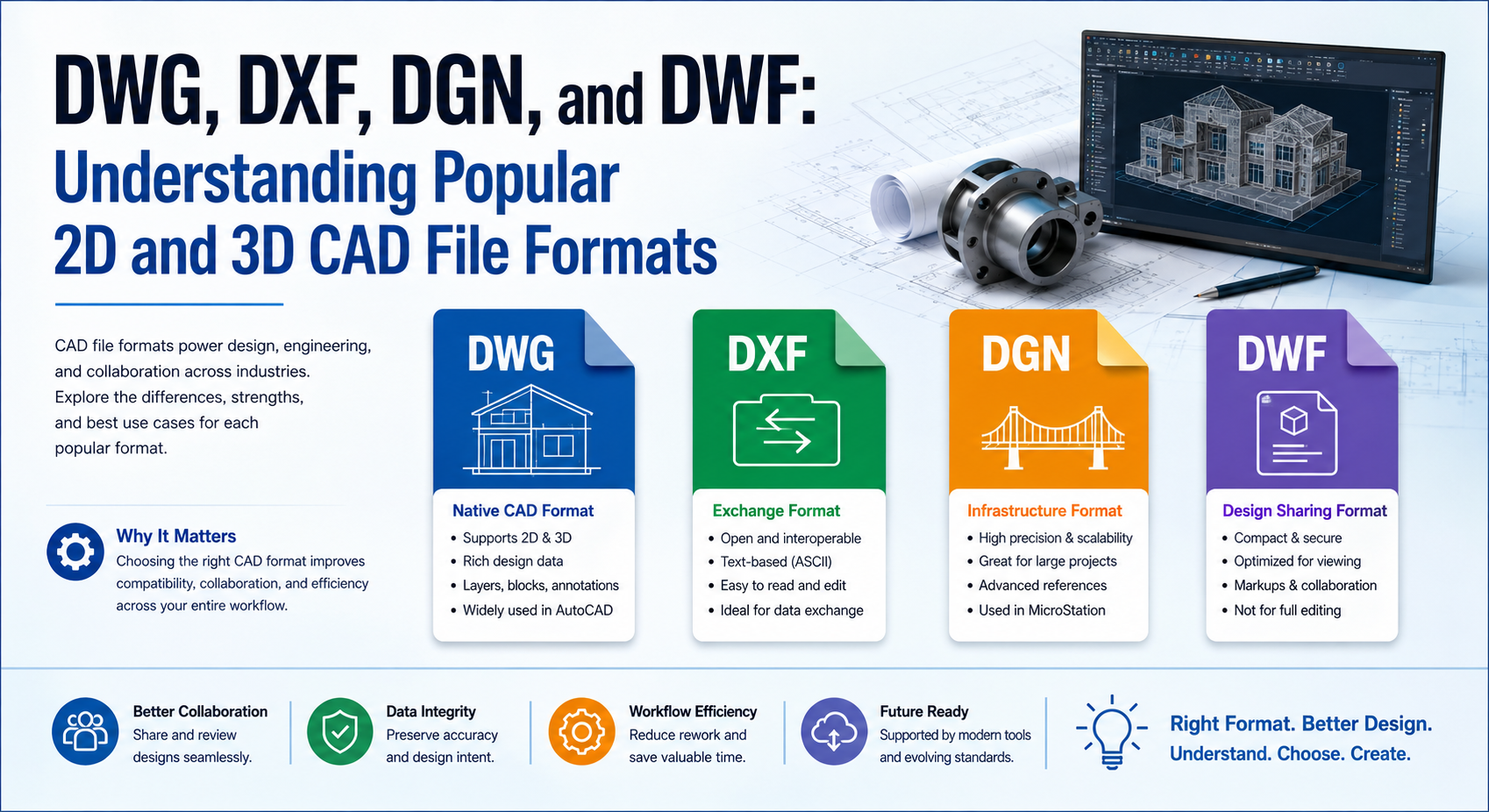
Compare DWG, DXF, DGN, and DWF: Understanding Popular 2D and 3D CAD File Formats
Computer-Aided Design (CAD) has transformed the way engineers, architects, manufacturers, and designers create technical drawings and 3D models. Whether you’re designing a skyscraper, mechanical component, road network, or electrical system, the file format you choose plays a significant role in collaboration, compatibility, and long-term project management.
Among the hundreds of CAD formats available today, DWG, DXF, DGN, and DWF remain the most widely used across industries. Each format was created with different objectives, making them suitable for specific workflows.
In this guide, we’ll explore these four popular CAD file formats, compare their strengths, discuss their ideal use cases, and explain how software developers can work with them using modern open source libraries and APIs.
Why CAD File Formats Matter
Choosing the right CAD file format affects much more than simply saving a drawing.
A suitable format helps teams:
- Exchange drawings between different CAD applications
- Preserve design accuracy
- Reduce compatibility issues
- Enable long-term archival
- Improve collaboration across engineering teams
- Support manufacturing and construction workflows
- Simplify document sharing with clients
Understanding the differences between these formats helps professionals make informed decisions while improving productivity.
What is DWG?
DWG is one of the oldest and most recognized CAD file formats. Originally developed for AutoCAD, it has become the industry standard for storing both 2D drawings and 3D models.
Unlike text-based formats, DWG stores information in a compact binary structure, making files relatively small while preserving detailed geometry and metadata.
Key Features
- Supports both 2D and 3D designs
- Stores layers, dimensions, annotations, and layouts
- Efficient binary storage
- Supports blocks and reusable components
- Compatible with many commercial CAD applications
Advantages
- Excellent performance
- Highly detailed models
- Industry standard
- Rich object support
- Widely accepted by architects and engineers
Limitations
- Proprietary format
- Reverse engineering has historically been challenging
- Compatibility may vary between software versions
Common Use Cases
- Architectural drawings
- Mechanical engineering
- Civil engineering
- Manufacturing
- Product design
What is DXF?
DXF (Drawing Exchange Format) was created to solve one major problem: exchanging CAD drawings between different software applications.
Unlike DWG, DXF can be stored as ASCII text, making it easier for developers and third-party applications to read and generate.
Although binary DXF versions exist, ASCII DXF remains extremely popular for interoperability.
Key Features
- Open documentation
- Text-based structure
- Easy to parse
- Supports layers and entities
- Cross-platform compatibility
Advantages
- Excellent interoperability
- Easy to edit programmatically
- Ideal for CAD data exchange
- Supported by hundreds of applications
Limitations
- Larger file sizes
- May lose application-specific features
- Less efficient than DWG
Common Use Cases
- Data exchange
- CNC machining
- Laser cutting
- GIS applications
- CAD import/export
What is DGN?
DGN is the native design format of Bentley MicroStation and is heavily used in infrastructure projects.
Government agencies, transportation departments, railways, utilities, and large civil engineering firms often standardize on DGN because of its robust handling of complex infrastructure designs.
Key Features
- High precision geometry
- Supports large engineering projects
- Advanced reference management
- Rich metadata support
- Excellent GIS integration
Advantages
- Ideal for infrastructure
- Handles very large projects
- Strong geospatial capabilities
- Stable performance
Limitations
- Less common outside infrastructure industries
- Smaller ecosystem than DWG
Common Use Cases
- Highways
- Railways
- Airports
- Utility networks
- Government infrastructure
What is DWF?
DWF (Design Web Format) is designed primarily for sharing CAD drawings rather than editing them.
Instead of sending large editable CAD files, engineers often publish DWF files that can be viewed, reviewed, printed, and marked up without exposing the original design.
Key Features
- Compact file size
- Optimized for sharing
- Supports markups
- Includes sheets and metadata
- Read-only distribution
Advantages
- Small downloads
- Protects original CAD models
- Easy collaboration
- Fast viewing
Limitations
- Not intended for editing
- Limited design modification capabilities
Common Use Cases
- Client reviews
- Construction approvals
- Design distribution
- Project documentation
Feature Comparison
| Feature | DWG | DXF | DGN | DWF |
|---|---|---|---|---|
| Primary Purpose | Native CAD Design | Data Exchange | Infrastructure Design | Design Sharing |
| Supports 2D | ✅ | ✅ | ✅ | ✅ |
| Supports 3D | ✅ | Limited | ✅ | View Only |
| Editable | ✅ | ✅ | ✅ | Mostly No |
| Human Readable | ❌ | ✅ | ❌ | ❌ |
| Compact Size | ✅ | ❌ | ✅ | ✅ |
| Collaboration | Medium | High | High | Excellent |
| Best For | CAD Design | Interoperability | Infrastructure | Distribution |
Choosing the Right CAD Format
Every format serves a different purpose.
Choose DWG if:
- You primarily work with AutoCAD
- You need full editing capabilities
- You require advanced CAD features
Choose DXF if:
- You need maximum compatibility
- Your application imports or exports CAD data
- You develop CAD automation software
Choose DGN if:
- You work on transportation projects
- You manage infrastructure assets
- Your organization uses Bentley products
Choose DWF if:
- You need secure drawing distribution
- Clients only need viewing access
- You want smaller file sizes
Working with CAD Formats Programmatically
Modern software frequently needs to process CAD files automatically.
Developers commonly build applications that:
- Convert DWG to PDF
- Convert DXF to SVG
- Extract metadata
- Generate thumbnails
- Merge engineering drawings
- Validate CAD documents
- Compare revisions
- Search annotations
- Archive engineering files
Many open source CAD libraries simplify these operations without requiring a full CAD application.
Common Challenges When Handling CAD Files
Although CAD formats are mature, developers often encounter several challenges:
Version Compatibility
Different CAD software releases introduce new features that older applications may not understand.
Large File Sizes
Complex engineering models can easily exceed hundreds of megabytes.
Missing Fonts
Drawings may display incorrectly if custom fonts are unavailable.
External References
CAD files often depend on linked images, XRefs, textures, or referenced drawings.
Coordinate Systems
Infrastructure projects frequently rely on precise coordinate systems that must remain intact during conversion.
Best Practices for CAD File Management
To maintain reliable engineering workflows:
- Keep original source files unchanged.
- Use DXF when exchanging designs between different CAD tools.
- Archive completed projects in standardized formats.
- Validate drawings before sharing.
- Store referenced resources alongside CAD files.
- Maintain consistent layer naming conventions.
- Include version information in project documentation.
- Automate backups for critical engineering data.
Future of CAD File Formats
The CAD industry continues evolving with cloud collaboration, Building Information Modeling (BIM), digital twins, and AI-assisted design.
Future CAD workflows are expected to include:
- Cloud-native editing
- Real-time collaboration
- AI-powered design validation
- Automated format conversion
- Web-based CAD viewers
- Improved interoperability through open standards
Despite these advancements, DWG, DXF, DGN, and DWF will continue playing important roles because of their widespread adoption across architecture, engineering, manufacturing, and infrastructure industries.
Conclusion
DWG, DXF, DGN, and DWF each solve different challenges within the CAD ecosystem. DWG remains the preferred format for native CAD editing, DXF excels at interoperability, DGN dominates large infrastructure projects, and DWF provides an efficient way to distribute designs without exposing editable content.
Understanding when to use each format enables engineers, architects, developers, and organizations to improve collaboration, reduce compatibility issues, and streamline project workflows. As CAD technology evolves, selecting the right file format will continue to be an essential part of successful engineering and design projects.
Frequently Asked Questions
Q1. What is the main difference between DWG and DXF?
A1 DWG is primarily used for native CAD editing, while DXF is designed for exchanging drawings between different CAD applications.
Q2. Is DGN only used with MicroStation?
A2 No. Although DGN is the native format of MicroStation, many CAD applications can open or convert DGN files.
Q3. Can DWF files be edited?
A3 DWF files are mainly intended for viewing, reviewing, and sharing rather than full editing.
Q4. Which CAD format is best for interoperability?
A4 DXF is generally considered the best choice for exchanging CAD data across different software platforms.
Q5. Are these CAD formats suitable for software development?
A5 Yes. Numerous open source libraries and commercial APIs enable developers to read, write, convert, and analyze DWG, DXF, DGN, and DWF files programmatically.
See Also
CAD File Formats at FileFormat.com
Open Source APIs for working with CAD file formats
File Format News – Your one stop for all the news related to file formats from around the world
File Format Forums – Post your queries in file format forums to get useful information from file format experts and community users
File Format Wiki –Explore file format categories for information about various file formats