Last Updated: 12 Oct, 2026
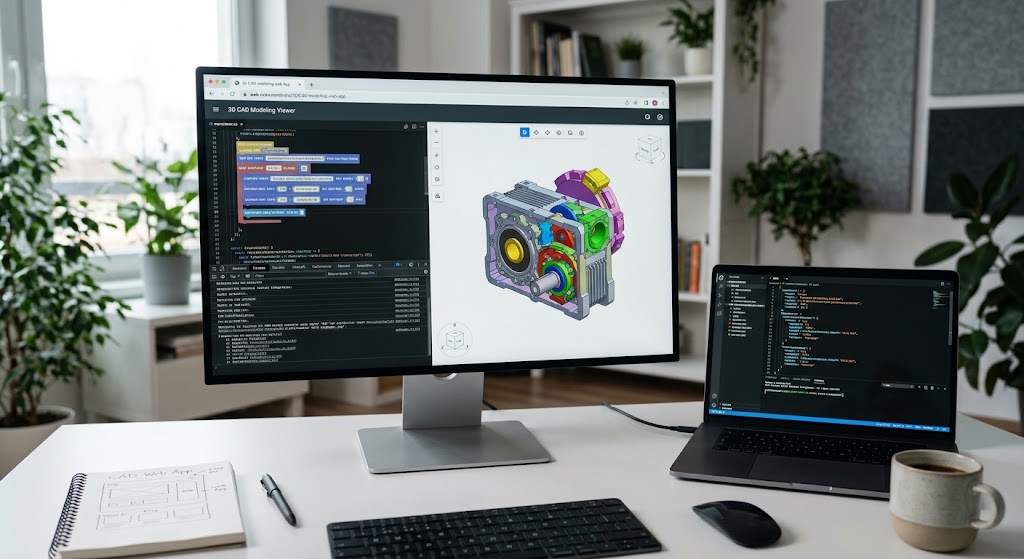
Web-Based CAD Processing: A Complete Guide to Parse, Convert, & Visualize 3D Data
Engineering, construction, and manufacturing software have long been anchored to heavy desktop workstations. For decades, collaborating on a design meant exporting massive files, firing up proprietary desktop software, or settling for static 2D PDF snapshots that flatten rich geometry into dead pixels.
Today, product teams expect real-time design collaboration, cloud-based part quoting, automated design validation, and frictionless model sharing directly inside a web browser. Bringing Computer-Aided Design (CAD) files to the web is notoriously difficult. Proprietary file formats, non-uniform rational B-splines (NURBS), massive file payloads, and browser GPU constraints create serious architectural challenges.
Here is a practical, end-to-end breakdown of how to architect, process, and render CAD files within modern web applications.
1. Understanding the CAD Landscape: Why Web Processing Is Hard
Before writing an ingestion script or choosing a 3D canvas library, you must understand the distinction between the formats your users upload and the formats browsers actually render.
Boundary Representation (B-Rep) vs. Polygonal Meshes
Desktop CAD tools (SolidWorks, CATIA, Autodesk Inventor, Siemens NX) do not think in triangles. They store geometries as mathematically exact curves, surfaces, and solids known as B-Rep (Boundary Representation) or NURBS (Non-Uniform Rational B-Splines).
- B-Rep Formats (
.step,.stp,.iges,.sldprt): High mathematical precision, variable edge definitions, and complex topological relationships. - Drawing Formats (
.dwg,.dxf): 2D/3D vector drafting data, heavily layered, often proprietary (especially binary DWG). - Mesh Formats (
.stl,.obj,.ply): Triangulated approximations. While STL is common for 3D printing, it loses all semantic information (threads, true radii, materials, assemblies).
The Web Problem: WebGL and WebGPU engines only understand point arrays, vertices, and triangular meshes. Browsers cannot natively evaluate parametric NURBS equations at 60 frames per second.
Therefore, integrating CAD into a web app is fundamentally a tessellation and pipeline problem: transforming mathematically precise CAD solids into lightweight, optimized polygonal meshes without losing critical engineering fidelity.
2. Core Architecture: The Ingestion and Conversion Pipeline
Trying to parse a 200MB STEP assembly client-side will crash the user’s browser tab. A production-ready CAD processing pipeline relies on an asynchronous, decoupled architecture:
[Browser Client]
       │ (Direct Upload via Presigned URL)
       ▼
[Cloud Storage: S3 / GCS]
       │ (Event Trigger)
       ▼
[Message Queue: SQS / RabbitMQ]
       │
       ▼
[Worker Nodes (Geometry Engine)]
       ├─ Format Parsing
       ├─ Tessellation & Meshing
       ├─ Decimation & Level-of-Detail (LOD)
       └─ Optimization
       │
       ▼
[Derived Output: glTF / GLB / Vector JSON]
       │
       ▼
[Client Web Viewer (Three.js / Babylon.js)]
Step 1: Secure Ingestion via Direct-to-Cloud Uploads
Never route large CAD binaries through your core application server. Use presigned S3 or Google Cloud Storage upload URLs with strict chunked multi-part uploading. CAD assemblies often bundle multiple part files (.sldprt) inside an assembly (.sldasm) or as .zip archives; your upload layer must accommodate multi-file and folder ingestions.
Step 2: Asynchronous Conversion Workers
Once an upload completes, an event triggers an asynchronous worker pool. Because CAD conversions are CPU- and memory-intensive, keep your workers on scalable compute (e.g., AWS ECS, Kubernetes pods, or dedicated compute instances).
Step 3: Tessellation and Feature Extraction
The worker parses the file, extracts metadata (bounding boxes, part trees, mass properties, layers), and converts mathematical surfaces into triangles.
Step 4: Normalization to Web-Ready Standards
The output should be converted into glTF 2.0 (.glb)—often called the “JPEG of 3D”—or custom binary formats for specialized applications. For 2D drawing data (.dwg/.dxf), convert to vector formats like SVG or flat GeoJSON-style geometries.
3. Choosing the Right Conversion Engine
You generally have three options for handling parsing and tessellation on the backend:
| Approach | Typical Tools | Pros | Cons |
|---|---|---|---|
| Open-Source Geometry Kernels | Open CASCADE (OCCT), FreeCAD CLI, CadQuery | No per-transaction licensing fees; complete data control. | Steep learning curve (C++); slow on massive assemblies; manual tuning required. |
| Commercial Headless SDKs | Tech Soft 3D (HOOPS), Spatial (ACIS), Datakit | Native support for proprietary formats (CATIA, Creo, SolidWorks); exceptional performance. | Significant enterprise licensing costs. |
| Cloud Translation APIs | Autodesk Platform Services (Forge), Convertigo | Turnkey infrastructure; built-in web viewer widgets; minimal maintenance. | Vendor lock-in; per-file processing fees; data leaves your private boundary. |
When to Use WebAssembly (Wasm)
For lightweight formats (such as clean .stl files or simple 2D .dxf blueprints), you can bypass backend queues entirely. Compiling lightweight C++ or Rust parsers to WebAssembly allows you to read files directly in the browser using Web Workers. Keep this approach limited to single parts under 25MB to preserve client memory.
4. Optimizing 3D Geometry for Web Performance
A raw tessellated CAD model can easily produce millions of polygons, bringing browser frame rates to a crawl. Optimization at the worker stage is mandatory:
1. Adaptive Deflection (Tessellation Control)
Avoid uniform subdivision. Use chordal deviation settings: flat surfaces need very few triangles, while tight fillets and radial curves require higher density.
2. Mesh Decimation & LOD Generation
Generate multiple Levels of Detail (LOD). When the user zooms out to view the entire machine, render an LOD with 80% fewer polygons. When they zoom into a specific bolt or bearing, swap in the high-fidelity geometry.
3. Mesh Compression via Draco and Meshopt
Always apply geometry compression to web outputs:
- Google Draco: Drastically reduces file download size over the wire. However, decompressing Draco models consumes client CPU cycles.
- Meshopt / EXT_meshopt_compression: Offers balanced compression with fast, native-speed WebAssembly decompression, making it ideal for rendering complex assemblies quickly.
4. Instancing
In manufacturing models, parts like screws, brackets, and pins repeat dozens of times. Ensure your translation pipeline detects duplicate bodies and outputs instanced meshes (EXT_mesh_gpu_instancing). This collapses draw calls from hundreds down to one.
5. Rendering in the Browser: Front-End Architecture
Once the worker outputs an optimized .glb file, the browser handles interaction, inspection, and measurement.
Picking a Rendering Engine
- Three.js: The industry standard. Massive ecosystem, lightweight, and easy to customize for product configurators and custom viewer UIs.
- Babylon.js: Feature-rich, production-grade engine with out-of-the-box support for complex PBR materials, physics, and enterprise workflows.
- Autodesk Viewer / HOOPS Communicator: Pre-packaged viewers with built-in BIM/CAD features (section planes, model tree hierarchies, exploded views), but closely coupled to their proprietary cloud backends.
Essential Web CAD Viewer Features
If you build a custom interface, engineering users will expect standard desktop interactions:
- CAD-Style Orbit Controls: Desktop CAD tools use different mouse mappings (e.g., SolidWorks uses middle-mouse orbit; Revit uses Shift + middle-mouse). Allow users to toggle control schemes.
- Interactive Bounding Box & Sectioning: Use GL clipping planes to allow users to slice through internal components of a solid assembly.
- Hierarchy Tree (Scene Graph): Render the parent-child assembly structure in HTML/React so users can toggle visibility on specific components or sub-assemblies.
- Accurate Measurement Tools: Raycast against vertices and edge loops to calculate true distance, surface area, and radius.
6. Security and Intellectual Property (IP) Protection
CAD files contain sensitive intellectual property. Streaming engineering data to public browsers demands strict security controls:
- Mesh-Only Delivery: By sending tessellated meshes rather than native B-Rep geometry, you inherently protect raw parametric math. Reverse-engineering a native CAD model from a triangulated surface is difficult and imperfect.
- Streaming Chunk Encryption: Deliver geometry in encrypted binary segments authenticated with short-lived session tokens.
- Ephemeral Processing: Clean up temporary storage and worker memory immediately after the conversion pipeline writes to permanent storage.
- Geometry Simplification for External Viewers: If displaying files to third-party vendors or public audiences, run an exterior-shelling algorithm that strips internal components (gears, baffles, secret internal mechanisms) before generating the web mesh.
Conclusion
Integrating CAD processing into web applications is no longer an experimental feature reserved for enterprise CAD vendors. By decoupling ingestion through asynchronous cloud workers, converting parametric curves into optimized polygon meshes, and leveraging WebGL/WebGPU front ends, you can deliver fast, collaborative engineering tools inside any modern browser.
Start with a well-scoped MVP: choose a single neutral format like STEP, leverage an established parser to target glTF output, and render using Three.js. As your user base expands, add multi-format conversion pipelines, adaptive LODs, and specialized engineering tools.
Frequently Asked Questions (FAQ)
Q1. Can modern web browsers open raw STEP or DWG files natively without backend conversion?
No, browsers lack native parsers for proprietary CAD formats and require either server-side conversion or WebAssembly-based processing into triangular mesh formats like glTF.
Q2. What is the best web format for rendering 3D CAD data efficiently?
Binary glTF (.glb) with Meshopt or Draco compression is the industry standard for delivering high-performance 3D models across web browsers.
Q3. How do you handle large CAD assemblies with millions of polygons on mobile devices?
Implement Level of Detail (LOD) hierarchies, aggressive mesh decimation, and instanced rendering so the GPU only renders visible, simplified geometry.
Q4. Is proprietary CAD intellectual property safe when displayed on a public web page?
Yes, because tessellating CAD models into surface meshes strips the native parametric history and mathematical construction data, preventing easy reverse engineering.
Q5. Should I use open-source engines like Open CASCADE or commercial cloud translation APIs?
Open CASCADE is best if you require on-premise privacy and zero licensing fees, while commercial APIs like Autodesk Platform Services are ideal for fast time-to-market and broader native format support.
See Also
CAD File Formats at FileFormat.com
Open Source APIs for working with CAD file formats
CAD Automation without AutoCAD: Top Open-Source Frameworks for Developers
File Format Forums – Post your queries in file format forums to get useful information from file format experts and community users
File Format Wiki – Explore file format categories for information about various file formatsss
STEP vs IGES Explained: Comparing Modern and Legacy CAD Exchange Formats