Last Updated: 10 Aug, 2026
Top Open Source CAD APIs and Libraries for Developers in 2026
Computer-aided design, better known as CAD, is no longer limited to traditional desktop applications. Developers can now use open source CAD APIs and libraries to create custom design tools, automate engineering workflows, generate 2D and 3D models, process CAD files, and integrate geometry functionality into web and desktop applications.
For many software projects, building a complete CAD engine from scratch is not practical. CAD involves complex mathematical operations, geometric calculations, topology, surfaces, curves, meshes, file formats, and visualization. Open source CAD libraries provide developers with reusable building blocks that can significantly reduce development time.
In 2026, developers have several mature open source options to choose from. Some projects provide complete CAD applications with scripting capabilities, while others work as geometry kernels, computational geometry libraries, or CAD-as-code frameworks.
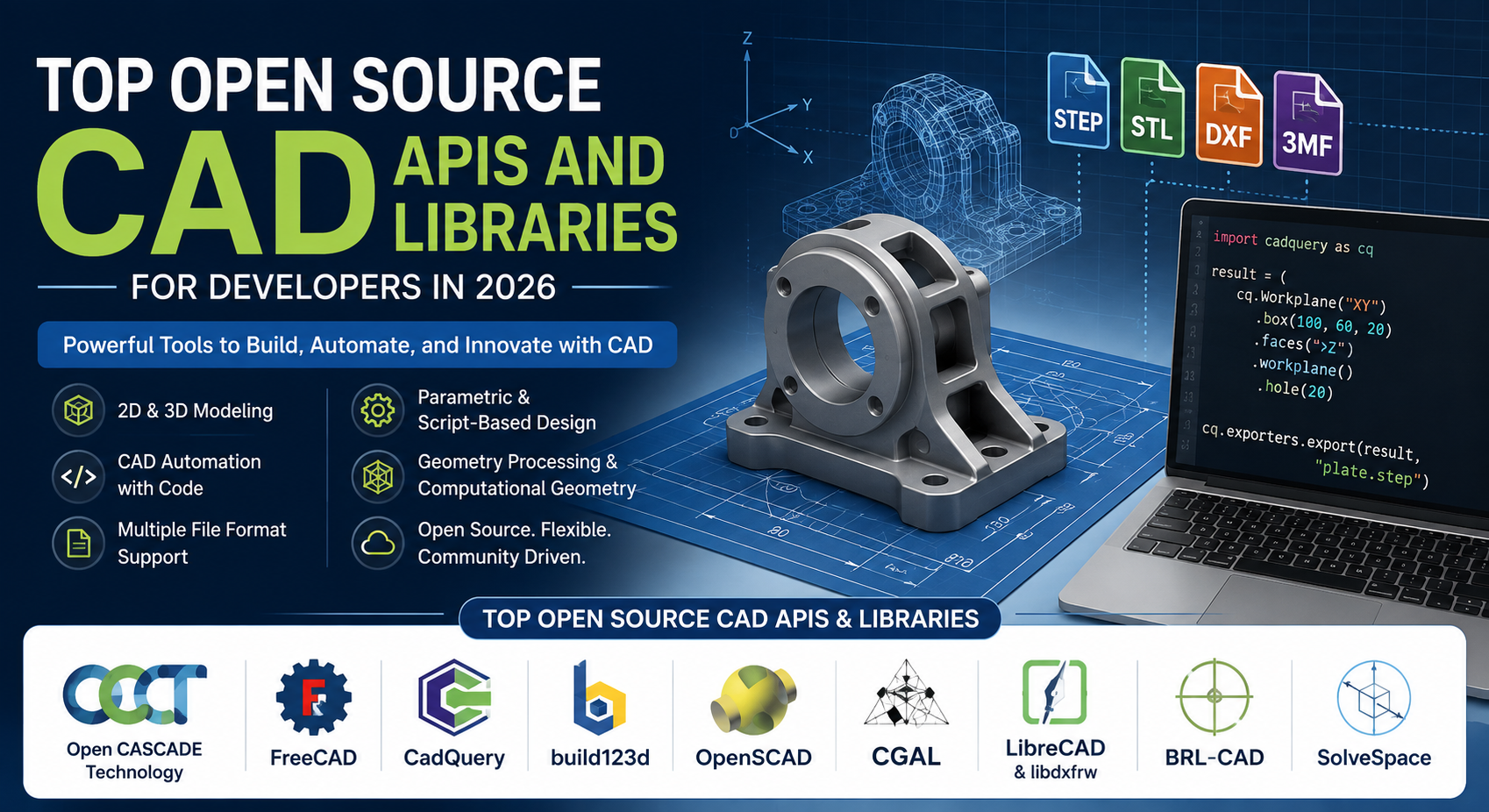
Popular projects include Open CASCADE Technology, FreeCAD, CadQuery, build123d, OpenSCAD, CGAL, LibreCAD, BRL-CAD, and SolveSpace. Each project has a different purpose and programming model. Some are better suited to industrial 3D modeling, while others are more appropriate for 2D drafting, parametric design, CAD automation, computational geometry, or 3D printing. This guide explores the top open source CAD APIs and libraries developers should consider in 2026, their major features, programming languages, use cases, advantages, and limitations.
What Are Open Source CAD APIs and Libraries?
An open source CAD API or library is a collection of reusable programming components that developers can integrate into their own applications to work with computer-aided design data. Depending on the project, a CAD library may provide functionality for:
- 2D drawing and drafting
- 3D solid modeling
- Parametric modeling
- Boundary representation (B-Rep)
- Constructive solid geometry (CSG)
- Surface modeling
- Curve processing
- Boolean operations
- Mesh generation
- Geometry analysis
- CAD file conversion
- CAD visualization
- STEP processing
- IGES processing
- DXF processing
- STL generation
- Engineering automation
- Computational geometry
Instead of developing all of this functionality independently, programmers can use an existing open source project as the foundation of their application.
For example, a developer could create a web application where users enter dimensions for a mechanical component. The application could send those parameters to a CAD library, generate a 3D model, and export it as STEP or STL. This type of workflow demonstrates why programmable CAD is becoming increasingly useful for modern software development.
Why Use Open Source CAD Libraries?
There are several reasons developers choose open source CAD APIs instead of implementing geometry functionality themselves.
Reduce Development Time
CAD geometry is complicated. Operations such as creating a fillet, calculating the intersection of two surfaces, performing a Boolean subtraction, or generating a watertight solid can require sophisticated algorithms.
An established CAD library provides these capabilities without requiring developers to implement the underlying mathematics themselves.
Build Custom CAD Applications
Commercial CAD applications are designed for general-purpose users. A company may instead need a specialized application for a particular manufacturing process, product category, or engineering workflow. Open source CAD libraries allow developers to create applications tailored to those requirements.
Automate Repetitive Design Tasks
CAD automation is another important use case. A developer can write software that automatically:
- Reads design parameters.
- Creates a model.
- Applies dimensions.
- Performs Boolean operations.
- Validates the geometry.
- Exports the model.
- Sends the result to another application.
This is particularly useful when hundreds or thousands of customized CAD models need to be produced.
Integrate CAD With Other Systems
CAD data is often part of a larger engineering workflow. A CAD application may need to communicate with:
- ERP systems
- PLM systems
- Manufacturing systems
- Databases
- Web applications
- Simulation software
- 3D printers
- CNC machines
- AI applications
- Computer vision systems
An open source CAD library can provide the geometry layer between these different systems.
Top Open Source CAD APIs and Libraries in 2026
1. Open CASCADE Technology
Open CASCADE Technology, commonly abbreviated as OCCT, is one of the most important open source CAD development frameworks available today. Unlike a traditional desktop CAD application, OCCT is primarily a software development toolkit. It provides C++ libraries for 3D modeling, geometry processing, CAD data exchange, and visualization. It is especially useful for developers who need an industrial-grade geometry kernel for their own software.
Key Features
- 3D solid modeling
- B-Rep modeling
- Surface modeling
- Curve modeling
- Boolean operations
- NURBS geometry
- Geometry algorithms
- CAD data exchange
- Shape healing
- Geometry validation
- Visualization
- Tessellation
- STEP support
- IGES support
Why Developers Should Consider Open CASCADE
OCCT is a strong choice when a project requires sophisticated 3D geometry functionality. Developers can use it as the foundation for custom CAD, CAM, CAE, manufacturing, visualization, and engineering applications. It is particularly valuable for projects where developers need direct access to geometric and topological objects rather than simply controlling an existing desktop CAD application.
Best Use Cases
- Industrial CAD applications
- Custom 3D modeling software
- CAD/CAM applications
- Engineering software
- Geometry processing
- CAD file conversion
- Visualization applications
- Manufacturing software
Programming Language
- C++
License
OCCT is distributed under an LGPL-based open source license with additional conditions. Developers should review the current license before integrating it into commercial software.
2. FreeCAD
FreeCAD is one of the most popular open source parametric 3D CAD applications.
Although FreeCAD provides a complete graphical CAD environment, developers can also use its Python scripting capabilities and C++ architecture to automate tasks and extend the application. This makes FreeCAD useful both as a CAD application and as a programmable development platform.
Key Features
- Parametric 3D modeling
- Python scripting
- C++ core
- Workbench architecture
- Sketch-based modeling
- Part modeling
- Assembly functionality
- BIM workflows
- FEM functionality
- CAD file import and export
- Custom workbenches
- Automation
A simple Python example can create a basic solid:
import FreeCAD as App
import Part

doc = App.newDocument("Example")

box = doc.addObject("Part::Box", "Box")
box.Length = 100
box.Width = 60
box.Height = 20

doc.recompute()

doc.saveAs("example.FCStd")
The same concept can be expanded to create automated models based on user input.
Why Developers Should Consider FreeCAD
FreeCAD is especially useful when a project needs both an interactive CAD environment and programmatic control. Developers can create Python scripts, macros, plugins, and custom workbenches to extend the application. It can also serve as a useful foundation for engineering automation and custom CAD workflows.
Best Use Cases
- Python CAD automation
- Parametric modeling
- Engineering applications
- Custom CAD extensions
- BIM applications
- Educational CAD projects
- Rapid prototyping
Programming Languages
- C++
- Python
License
LGPL.
3. CadQuery
CadQuery is an open source Python library designed for creating parametric CAD models through code. Instead of relying primarily on a graphical interface, developers describe the model using Python statements. This makes CadQuery particularly attractive for CAD-as-code workflows.
Key Features
- Python-based CAD modeling
- Parametric modeling
- 2D sketches
- 3D solid modeling
- Boolean operations
- Fillets
- Chamfers
- Assemblies
- STEP export
- STL export
- DXF support
- 3MF support
- OCCT-based geometry
A simple model can be created using code similar to the following:
import cadquery as cq

result = (
    cq.Workplane("XY")
    .box(100, 60, 20)
    .faces(">Z")
    .workplane()
    .hole(20)
)

cq.exporters.export(result, "plate.step")
The major advantage is that the design can be treated as source code. Developers can store CAD models in Git, create different model configurations, automate dimensions, and generate multiple variations from the same code.
Why Developers Should Consider CadQuery
CadQuery is particularly useful for applications that need automated CAD generation. For example, a web application could collect:
- Width
- Height
- Thickness
- Hole diameter
- Hole spacing
The backend could then use those parameters to generate a customized STEP or STL model. This makes CadQuery suitable for product configurators, automated manufacturing systems, engineering applications, and 3D printing workflows.
Best Use Cases
- Python CAD automation
- Parametric product generation
- 3D printing
- Engineering automation
- Manufacturing workflows
- CAD-as-code applications
- Automated model generation
Programming Language
- Python
License
Apache 2.0.
4. build123d
build123d is a modern Python-based CAD framework designed for parametric and programmatic 2D and 3D modeling. It uses the Open CASCADE Technology geometry kernel and provides a Python-friendly interface for creating solid models. The project is particularly interesting for developers who want readable CAD source code and modern CAD-as-code workflows.
Key Features
- Python CAD modeling
- Parametric design
- B-Rep modeling
- 2D geometry
- 3D geometry
- Boolean operations
- Transformations
- Builder-style modeling
- Algebraic modeling
- Assemblies
- STEP export
- STL export
- OCCT-based geometry
A basic example looks like:
from build123d import *

with BuildPart() as part:
    Box(100, 60, 20)
    Cylinder(10, 20, mode=Mode.SUBTRACT)

export_step(part.part, "plate.step")
The model can be changed by modifying parameters or adding additional operations.
Why Developers Should Consider build123d
build123d is useful for developers who want to keep CAD designs inside normal software development workflows.
A CAD model can be:
- Stored in Git
- Reviewed as source code
- Generated automatically
- Parameterized
- Tested
- Integrated into Python applications
- Used in automated manufacturing pipelines
Best Use Cases
- Python CAD development
- CAD automation
- Parametric mechanical parts
- 3D printing
- CNC workflows
- CAD-as-code
- Product configuration
Programming Language
- Python
License
Apache 2.0.
5. OpenSCAD
OpenSCAD takes a different approach to computer-aided design. Instead of focusing on traditional interactive modeling, OpenSCAD allows users to describe models using a scripting language. It is especially useful for procedural and parameter-driven designs.
Key Features
- Script-based CAD
- Constructive Solid Geometry
- Parametric modeling
- 2D extrusion
- 3D solid generation
- Reusable modules
- Command-line operation
- Cross-platform support
A simple OpenSCAD model can be written as:
difference() {
    cube([100, 60, 20]);

    translate([50, 30, 0])
        cylinder(h = 20, r = 10);
}
Variables can also be used to make designs easier to modify:
width = 100;
height = 60;
thickness = 20;
This makes it possible to generate multiple versions of the same object by changing a few parameters.
Why Developers Should Consider OpenSCAD
OpenSCAD is particularly attractive for developers, makers, and engineers who prefer describing geometry through code. It is widely suited to designs where mathematical relationships and parameters control the final model.
Best Use Cases
- 3D printing
- Procedural modeling
- Parametric parts
- Mechanical components
- Educational projects
- Script-based CAD
- Automated model generation
Programming Language
- OpenSCAD scripting language
- C++
6. CGAL
CGAL stands for Computational Geometry Algorithms Library. It is different from a traditional CAD application because its main purpose is providing reliable and reusable computational geometry algorithms and data structures. CGAL is useful when developers need sophisticated geometric operations rather than a complete CAD user interface.
Key Features
- Polygon processing
- Polyhedral geometry
- Triangulations
- Voronoi diagrams
- Boolean operations
- Mesh generation
- Point-set processing
- Surface reconstruction
- Convex hulls
- Alpha shapes
- Spatial searching
- Geometry processing
CGAL can be used in many areas besides CAD, including:
- Robotics
- Computer graphics
- Geographic information systems
- Scientific computing
- Computer vision
- Manufacturing
Why Developers Should Consider CGAL
Many CAD applications depend on computational geometry. A developer may need to:
- Detect intersections
- Generate meshes
- Reconstruct surfaces
- Process point clouds
- Calculate convex hulls
- Process polygons
- Search geometric data efficiently
CGAL provides algorithms for many of these requirements.
Best Use Cases
- Computational geometry
- CAD algorithms
- Mesh processing
- Robotics
- Scientific applications
- 3D data processing
- Geometry research
Programming Language
- C++
License
CGAL uses different open source licenses depending on the component, including GPL and LGPL. Developers should review the license of the specific package they plan to use.
7. LibreCAD and libdxfrw
LibreCAD is an open source 2D CAD application focused on technical drawing and drafting. While LibreCAD is primarily an application, its ecosystem is useful to developers working with 2D CAD data. The project uses Qt and provides functionality for working with common drafting operations.
libdxfrw
libdxfrw is a C++ library associated with the LibreCAD ecosystem and is designed for reading and writing DXF data. This makes it particularly interesting for developers who need CAD file processing instead of a complete 3D modeling engine.
Possible Applications
Developers can use a focused CAD file library for:
- DXF conversion
- CAD file import
- CAD file export
- Drawing analysis
- Batch processing
- CAD preview tools
- CAD validation utilities
Why Developers Should Consider This Approach
If an application only needs to read and write 2D CAD drawings, using a complete 3D CAD kernel may introduce unnecessary complexity. A specialized DXF library can provide a smaller and more focused development path.
Best Use Cases
- 2D CAD
- DXF processing
- CAD conversion
- Technical drawings
- Drawing analysis
- Lightweight CAD tools
Programming Language
- C++
License
LibreCAD is released under the GPL. libdxfrw also uses GPL licensing.
8. BRL-CAD
BRL-CAD is a mature open source solid modeling system with a strong focus on constructive solid geometry, engineering, geometry processing, and ray tracing. The project includes applications, libraries, and tools that can be used to work with solid geometry.
Key Features
- Constructive Solid Geometry
- Solid modeling
- Ray tracing
- Geometry processing
- CAD conversion
- Mesh generation
- Geometry analysis
- Scripting
- Geometry databases
- C/C++ APIs
BRL-CAD also includes geometry conversion functionality that can be useful when building applications that need to move models between different formats.
Why Developers Should Consider BRL-CAD
BRL-CAD is suitable for developers who need a complete open source solid-modeling ecosystem. Its long history and engineering-oriented architecture make it interesting for specialized geometry applications and research.
Best Use Cases
- Solid modeling
- Engineering applications
- Geometry conversion
- CAD data processing
- Ray tracing
- Research projects
- Custom geometry software
Programming Languages
- C
- C++
9. SolveSpace
SolveSpace is a lightweight open source parametric 2D and 3D CAD application. Its main strength is constraint-based modeling Instead of simply placing objects in space, users can define relationships between geometric elements. For example, a sketch can specify that two lines should remain parallel or that a circle should maintain a particular diameter.
Key Features
- Parametric CAD
- 2D sketching
- 3D modeling
- Constraint solving
- Geometry export
- Lightweight architecture
Why Developers Should Consider SolveSpace
SolveSpace can be useful for developers interested in lightweight parametric CAD applications. Its source code can also provide useful ideas for developers researching constraint-based CAD systems.
Best Use Cases
- Lightweight CAD
- Parametric sketching
- Constraint-based modeling
- Educational CAD
- Experimental CAD software
Programming Language
- C++
License
GPLv3 or later.
Open Source CAD Libraries Compared
The following table provides a quick comparison of the projects covered in this article.
| Project | Main Focus | Language | 2D CAD | 3D CAD | Parametric Modeling | Best For |
|---|---|---|---|---|---|---|
| Open CASCADE Technology | CAD geometry kernel | C++ | Yes | Excellent | Yes | Industrial CAD |
| FreeCAD | Complete CAD platform | C++ / Python | Yes | Excellent | Yes | CAD automation |
| CadQuery | CAD-as-code | Python | Yes | Excellent | Yes | Python CAD |
| build123d | Python CAD framework | Python | Yes | Excellent | Yes | Modern CAD automation |
| OpenSCAD | Scripted modeling | OpenSCAD / C++ | Yes | Yes | Yes | Procedural CAD |
| CGAL | Computational geometry | C++ | Yes | Yes | Limited | Geometry algorithms |
| LibreCAD / libdxfrw | 2D CAD and DXF | C++ | Excellent | Limited | Limited | DXF workflows |
| BRL-CAD | Solid modeling | C / C++ | Yes | Excellent | Yes | Engineering |
| SolveSpace | Constraint-based CAD | C++ | Excellent | Yes | Yes | Lightweight CAD |
Open Source CAD APIs for Python Developers
Python has become an important language for CAD automation. Projects such as FreeCAD, CadQuery, and build123d allow developers to combine CAD functionality with Python’s large ecosystem. This makes it possible to build applications involving:
- Data processing
- Artificial intelligence
- Machine learning
- Databases
- Web APIs
- Scientific computing
- Optimization
- Automated manufacturing
For example, a Python application could receive product dimensions from a customer and automatically create a customized CAD model.
A simplified architecture could look like this:
User Input
     |
     v
Python Application
     |
     v
CAD Library
     |
     v
Geometry Kernel
     |
     v
STEP / STL / 3MF
     |
     v
Manufacturing or Visualization
This architecture is particularly useful for automated product configuration.
CAD Automation With Open Source APIs
CAD automation is one of the strongest reasons to use programmable CAD libraries. Consider a company that manufactures customized mounting brackets. Instead of asking an engineer to manually create every version, an application could accept parameters such as:
- Width
- Height
- Thickness
- Hole diameter
- Hole spacing
- Material thickness
- Number of mounting holes
The CAD API could generate the appropriate model automatically.
A workflow could look like:
Customer Parameters
        |
        v
Application Logic
        |
        v
CAD API
        |
        v
Geometry Generation
        |
        v
Model Validation
        |
        v
STEP / STL Output
This can reduce repetitive engineering work and make large-scale product customization practical.
Open Source CAD and Artificial Intelligence
Artificial intelligence is creating new possibilities for CAD software.
AI systems can generate text, parameters, scripts, and design suggestions, but a reliable geometry engine is still required to turn those instructions into valid CAD models.
A possible AI-assisted CAD workflow could look like:
Natural Language Request
         |
         v
      AI Model
         |
         v
CAD Parameters or Code
         |
         v
CadQuery / build123d / FreeCAD
         |
         v
   Geometry Kernel
         |
         v
   STEP / STL / 3MF
For example, a user might provide a request such as:
Create a mounting plate 120 mm wide,
80 mm high, 10 mm thick, with four
20 mm mounting holes.
An AI system could translate the request into structured parameters or CAD code.
The CAD library would then perform the actual geometric operations.
This separation is important because AI-generated instructions still need deterministic geometry processing and validation.
Using CAD APIs in Cloud Applications
Open source CAD libraries can also be used to build server-side CAD applications. For example, a web application could accept parameters such as:
{
    "width": 120,
    "height": 80,
    "thickness": 10,
    "hole_diameter": 20
}
The backend could pass these values to a CAD library and generate a CAD file.
Possible output formats may include:
- STEP
- STL
- 3MF
- DXF
- SVG
Depending on the library and workflow, the resulting files could be delivered directly to users or passed to another manufacturing system. This makes open source CAD libraries useful for:
- Online CAD generators
- Product configurators
- Manufacturing portals
- CAD conversion services
- 3D printing services
- Engineering automation platforms
Advantages of Open Source CAD APIs
Open source CAD libraries provide several important benefits.
Flexibility
Developers can integrate CAD functionality directly into their applications. Users do not necessarily need a separate desktop CAD program.
Automation
CAD operations can be performed automatically using scripts and APIs. This is useful for repetitive engineering tasks.
Customization
Developers can create specialized tools around an existing geometry engine.
Integration
CAD can be integrated with:
- Databases
- Web applications
- Manufacturing systems
- AI platforms
- Simulation software
- 3D printing systems
Cost Efficiency
Many open source CAD projects can be used without traditional commercial CAD licensing fees, subject to their individual licenses.
Transparency
Source code allows developers to inspect, understand, and sometimes modify the underlying implementation.
Limitations of Open Source CAD Libraries
Open source CAD libraries are powerful, but they also have limitations.
Steep Learning Curve
Advanced geometry kernels can be difficult to understand. Developers may need knowledge of:
- Computational geometry
- Topology
- B-Rep
- Curves
- Surfaces
- Coordinate systems
- Tessellation
Licensing Considerations
Not all open source licenses have the same requirements. A project licensed under GPL may have very different implications from a project using Apache 2.0 or LGPL. Always review the license before deployment.
File Format Limitations
Some proprietary CAD formats are difficult to implement because their specifications and ecosystems can be complex. Therefore, developers should verify the exact level of support required for formats such as DWG.
Performance
CAD operations can become expensive when models become large or geometrically complicated. Production systems should be tested with realistic workloads.
Open Source CAD and CAD File Formats
CAD applications frequently need to work with multiple file formats. Some of the most common formats include:
| Format | Typical Purpose |
|---|---|
| STEP | CAD data exchange |
| IGES | CAD data exchange |
| STL | 3D printing and mesh data |
| OBJ | 3D geometry and visualization |
| DXF | 2D CAD drawings |
| DWG | CAD drawing data |
| 3MF | Modern 3D printing |
| IFC | BIM and building information |
| SVG | 2D vector graphics |
Developers should select CAD libraries based on both modeling capabilities and file-format requirements. For example, a company building a DXF conversion service may not need a complete 3D modeling kernel. Similarly, a product configurator generating manufacturing-ready STEP files may require a much more sophisticated 3D geometry engine.
Open Source CAD for 3D Printing
Open source CAD libraries are also highly useful for 3D printing workflows. Developers can generate models programmatically and export them into formats commonly used by slicers and 3D printing applications. OpenSCAD, CadQuery, build123d, and FreeCAD are particularly useful for this type of workflow.
A typical automated process can be:
Product Parameters
       |
       v
Parametric CAD Model
       |
       v
STL / 3MF
       |
       v
Slicer
       |
       v
3D Printer
This approach is useful when many customized objects need to be produced.
Open Source CAD for Manufacturing
CAD automation can also connect directly with manufacturing workflows. A production system could:
- Receive a customer’s configuration.
- Generate a parametric CAD model.
- Validate dimensions.
- Export a manufacturing format.
- Generate supporting production data.
- Send the result to downstream manufacturing software.
This can help organizations create highly automated digital manufacturing pipelines.
CAD-as-Code in 2026
CAD-as-code is one of the most interesting trends in open source CAD development. Traditional CAD stores a large portion of design information inside application-specific files. CAD-as-code represents the design process as source code.
For example:
width = 100
height = 60
thickness = 20

create_box(width, height, thickness)
The advantages include:
- Version control
- Code review
- Reproducibility
- Parameterization
- Automated testing
- Continuous integration
- Easier model generation
- Automated manufacturing
This approach makes CAD much closer to normal software development.
Future of Open Source CAD Development
Open source CAD development is likely to become increasingly connected with automation, artificial intelligence, cloud computing, and digital manufacturing.
AI-Assisted CAD
AI can help generate:
- CAD scripts
- Design parameters
- Geometry suggestions
- Modeling instructions
- Design alternatives
Open source CAD APIs can then execute those instructions through deterministic geometry engines.
Cloud CAD Automation
CAD functionality can increasingly run on servers.
Users may submit dimensions through a web interface and receive a generated CAD model without installing a desktop application.
Parametric Product Configuration
Businesses can use CAD APIs to create products that automatically adapt to customer requirements.
For example, a customer could specify the dimensions of a mechanical component and receive a customized CAD model.
Automated Manufacturing
CAD generation can become one stage in a larger digital manufacturing pipeline:
Product Configuration
        |
        v
   CAD Generation
        |
        v
  Geometry Validation
        |
        v
  Manufacturing File
        |
        v
   CNC / 3D Printing
Better Interoperability
Open standards and exchange formats will continue to be important because engineering organizations often use several CAD platforms.
Open source libraries can help automate data exchange between these systems.
Which Open Source CAD Library Should You Choose?
There is no single open source CAD library that is ideal for every developer.
The best choice depends on your project.
Choose Open CASCADE Technology if:
- You need a powerful 3D geometry kernel.
- You are building a custom CAD application.
- You need advanced B-Rep modeling.
- You are working primarily with C++.
- You require industrial-grade geometry processing.
Choose FreeCAD if:
- You need a complete open source CAD platform.
- You want Python scripting.
- You need parametric modeling.
- You want to develop extensions or workbenches.
- You need interactive and automated CAD workflows.
Choose CadQuery if:
- You primarily work with Python.
- You want CAD-as-code.
- You need parametric model generation.
- You want automated STEP or STL output.
- You are building product configuration tools.
Choose build123d if:
- You want a modern Python CAD framework.
- You prefer readable CAD source code.
- You need B-Rep modeling.
- You want OCCT-based geometry.
- You are developing automated manufacturing workflows.
Choose OpenSCAD if:
- You prefer script-based CAD.
- You create procedural models.
- You work with 3D printing.
- You need parameter-driven designs.
- You want a simple modeling language.
Choose CGAL if:
- Your application requires computational geometry.
- You need mesh processing.
- You work with point clouds.
- You need geometric algorithms.
- You are developing research or engineering software.
Choose LibreCAD or libdxfrw if:
- Your application primarily handles 2D CAD.
- You need DXF support.
- You are building drawing conversion tools.
- You do not require a complete 3D geometry kernel.
Choose BRL-CAD if:
- You need solid modeling.
- You are working with engineering geometry.
- You need geometry conversion.
- You are interested in ray tracing and geometric analysis.
Choose SolveSpace if:
- You need lightweight parametric CAD.
- Constraint-based modeling is important.
- You are researching CAD architecture.
- You want a smaller CAD codebase to study.
Final Thoughts
Open source CAD APIs and libraries have become valuable tools for developers building modern engineering and design applications. Open CASCADE Technology is a strong option when an application requires a sophisticated 3D geometry kernel. FreeCAD provides a complete programmable CAD environment with Python support. CadQuery and build123d make CAD-as-code particularly accessible to Python developers, while OpenSCAD offers a straightforward approach to procedural and parametric modeling.
CGAL is better suited to computational geometry algorithms, while LibreCAD and libdxfrw are useful for 2D CAD and DXF-related applications. BRL-CAD provides a mature solid-modeling ecosystem, and SolveSpace offers an interesting lightweight approach to constraint-based parametric CAD.
The right choice ultimately depends on what you are building. If you are developing a complete CAD application, start by evaluating the geometry kernel and modeling capabilities. If your primary goal is automated model generation, Python-based libraries such as CadQuery and build123d can provide a productive development workflow. If you mainly need CAD file processing, a focused format library may be a better choice than a complete CAD framework.
Frequently Asked Questions
1. What is the best open source CAD API for developers in 2026?
Open CASCADE Technology (OCCT) is one of the strongest choices for developers who need a powerful 3D CAD geometry kernel. It provides functionality for solid modeling, surface modeling, Boolean operations, geometry processing, CAD data exchange, and visualization. For Python-based CAD automation, CadQuery, build123d, and FreeCAD are also excellent options.
2. Which open source CAD library is best for Python developers?
CadQuery and build123d are among the best options for Python developers who want to create parametric CAD models through code. FreeCAD also provides extensive Python scripting capabilities. These libraries allow developers to automate model generation, modify dimensions programmatically, and export models to formats such as STEP and STL.
3. Can open source CAD APIs generate STEP and STL files?
Yes, several open source CAD libraries can generate STEP and STL files. CadQuery, build123d, FreeCAD, Open CASCADE Technology, and OpenSCAD can be used for different types of CAD generation and export workflows. However, the exact supported formats and export capabilities vary between projects.
4. Which open source CAD library is best for CAD automation?
The best choice depends on the programming language and type of automation required. CadQuery and build123d are particularly suitable for Python-based CAD automation and CAD-as-code workflows. FreeCAD is useful for more comprehensive engineering automation, while Open CASCADE Technology is a strong choice for developers building custom CAD applications around a professional-grade geometry kernel.
5. Are open source CAD APIs suitable for commercial software?
Yes, open source CAD APIs can be used in commercial software, but developers must carefully review the license of each project and its dependencies. Projects use different licenses, including Apache, LGPL, and GPL. Before distributing a commercial application, check the specific license terms, linking requirements, modification requirements, and distribution obligations that apply to the CAD library being used.
See Also
CAD File Formats at FileFormat.com
Open Source APIs for working with CAD file formats
File Format News – Your one stop for all the news related to file formats from around the world
File Format Forums – Post your queries in file format forums to get useful information from file format experts and community users
File Format Wiki –Explore file format categories for information about various file formats