Last Updated: 30 July, 2026
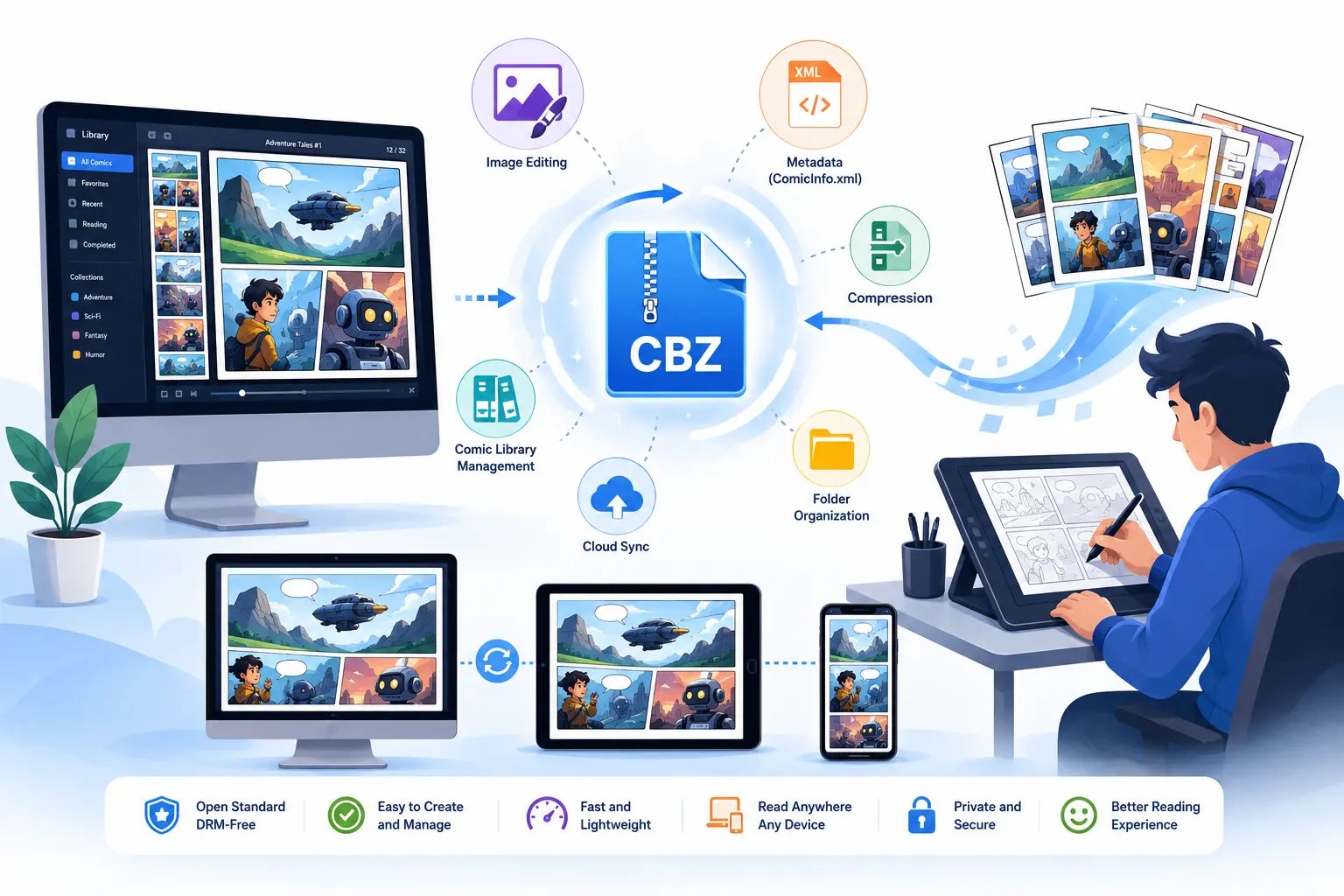
TL;DR – CBZ (Comic Book Zip) is a simple, open‑standard container for sequential images. It’s easy to create (just zip and rename) and works on every OS. The best workflow pairs a fast, feature‑rich reader (CDisplayEx, Perfect Viewer, YACReader, etc.) with lightweight creation tools (Krita, ImageMagick, ComicTagger, Calibre). Add a ComicInfo.xml file for metadata, compress images wisely, and sync your library via cloud or a self‑hosted PWA to enjoy seamless reading on any device.
1. What Is a CBZ and Why It Still Rules
- Definition – A CBZ is a ZIP archive that holds a series of image files (JPG, PNG, GIF, WebP…). The “.cbz” extension tells comic‑reading software to treat the ZIP as a single book.
- Open‑standard benefits
- No DRM, no proprietary codec – any OS that can unzip can read it.
- Easy to create manually:
zip -r MyComic.cbz *.jpgand you’re done. - Works with other containers (CBR = RAR, CBT = TAR, CB7 = 7‑ZIP) – most readers support them all.
- File‑size tricks – Use lossless PNG for line‑art panels, JPEG/WebP for photographic pages. Run
jpegoptim,pngquant, or ImageMagick’s-qualityflag to keep mobile downloads under ~10 MB without sacrificing readability. - Metadata matters – Most readers look for a
ComicInfo.xmlfile (the ComicRack standard) that stores title, author, series, issue number, tags, and even page‑level notes. Proper metadata makes library managers like Calibre or YACReader sort and search your collection automatically. - Legal reminder – A CBZ is just a container; the copyright of the images remains. Always use legally‑obtained comics and respect creators’ rights.
2. Reading CBZs: Top Picks by Platform
| Platform | Tool | Why It Stands Out | Price |
|---|---|---|---|
| Windows | CDisplayEx | Lightning‑fast loading, auto‑fit, double‑page, full ComicInfo.xml support, customizable shortcuts | Free |
| SumatraPDF | Ultra‑light, multi‑tab, portable, handles CBZ/CBR/CBT | Free | |
| ComicRack (legacy) | Powerful library, tagging, reading‑position sync, Windows Store version | Free (donation) | |
| macOS | Simple Comic | Drag‑and‑drop, night mode, page‑by‑page navigation, metadata editor | Free |
| YACReader | Library view, cross‑device sync, panel‑by‑panel view, annotation tools | Free (Pro adds cloud sync) | |
| Linux | Mcomix | GTK UI, thumbnail view, fully configurable key bindings | Free |
| Comix | Minimalist UI, supports multiple archives, page‑fit options | Free | |
| Android | Perfect Viewer | Highly customizable UI, cloud storage integration (Google Drive, Dropbox), dual‑page, night mode | $2.99 one‑time |
| ComicRack (Android) | Syncs with Windows library, tagging, reading list | Free | |
| Astonishing Comic Reader | Auto‑zoom, panel navigation, automatic metadata fetch from online databases | Free (ads) | |
| iOS / iPadOS | Chunky Comic Reader | iCloud/Dropbox sync, library tags, reading‑position sync across devices | Free (in‑app purchases) |
| ComicFlow | Swipe‑based UI, dark mode, supports CBZ/CBR, quick import from Files app | Free | |
| Web / PWA | MangaDex Reader | Drag‑CBZ into browser, night mode, OCR‑powered search, works offline after caching | Free |
| ReadComicOnline (self‑hosted) | Open‑source PWA, multi‑user library, offline caching, can be run on a cheap VPS | Free |
Quick tip: Most readers follow alphabetical order of filenames, so name pages with leading zeros (001.jpg, 002.jpg, …) to guarantee the correct sequence.
3. Creating & Optimizing CBZs – From Sketch to Zip
3.1 Authoring Tools
| Tool | Core Use‑Case | Notable Features |
|---|---|---|
| Krita (with export plug‑in) | Full‑blown comic drawing | Free, brush engine, can export layers as sequential PNGs |
| Comic Life | Comic‑book layout with speech bubbles | Templates, drag‑&‑drop, export to CBZ or PDF |
| Comic Book Creator (by Comic Book Software) | Simple page ordering, auto‑numbering | Batch import, auto‑metadata generation |
| Calibre | Convert PDFs/EPUBs → CBZ, library management | Bulk conversion, metadata editor, integrates with e‑book readers |
| ImageMagick (CLI) | Batch image processing & zip creation | magick *.png -quality 85 cbz MyComic.cbz |
| CBZ Builder (Windows) | Drag‑and‑drop UI, auto‑rename, ComicInfo.xml generator | Free |
| Manga Maker (Android) | Capture photos, auto‑crop panels, zip on the phone | Free |
| ComicBookLover (iOS) | Create CBZ from camera roll, edit metadata | In‑app purchases for advanced features |
3.2 A Minimal “One‑Click” Workflow (Windows/macOS/Linux)
# 1️⃣ Gather all page images in a folder
# 2️⃣ Rename them sequentially (bulk‑rename tool or: rename 's/.*/%03d.jpg/' *.jpg)
# 3️⃣ Optimize size (optional)
magick *.jpg -resize 1600x -quality 85 optimized_%03d.jpg

# 4️⃣ Create ComicInfo.xml (example)
cat > ComicInfo.xml <<EOF
<?xml version="1.0" encoding="utf-8"?>
<ComicInfo>
  <Title>My First Comic</Title>
  <Series>Adventure Tales</Series>
  <Number>1</Number>
  <Writer>Jane Doe</Writer>
  <Penciller>John Smith</Penciller>
  <Genre>Action;Fantasy</Genre>
  <Summary>A hero discovers a hidden world.</Summary>
</ComicInfo>
EOF

# 5️⃣ Zip everything into a CBZ
zip -r MyFirstComic.cbZ optimized_*.jpg ComicInfo.xml
Open the resulting MyFirstComic.cbZ in any of the readers above to verify page order and metadata.
3.3 Automation & Bulk Conversion
- Batch conversion with ImageMagick:
magick *.png -quality 85 cbz output.cbz - Python script (for power users) can rename, resize, embed metadata, and zip in one pass.
- Calibre’s bulk conversion: Add a folder of PDFs → Convert → Output format: CBZ → Apply a metadata preset.
4. Metadata, Automation, and AI Enhancements
4.1 Standard Metadata – ComicInfo.xml
- Fields:
<Title>,<Series>,<Number>,<Writer>,<Penciller>,<Genre>,<Summary>,<PageCount>,<Tags>. - Why it matters – Readers like YACReader and Calibre read this file to display series info, sort by issue number, and allow tag‑based filtering.
4.2 Tagging & OCR with AI
- ComicTagger (open‑source) lets you edit ComicInfo.xml visually and batch‑apply tags.
- MangaDex OCR and ComicTagger’s AI module can extract speech‑bubble text, generate searchable transcripts, and auto‑assign character/genre tags.
- Comixology’s AI tagging (proprietary) demonstrates how machine learning can recognize art styles and suggest metadata.
4.3 Cloud Sync & Continuity
- OneDrive / Dropbox / Google Drive – Store your CBZ folder and let the desktop client keep it in sync.
- Syncthing – Peer‑to‑peer sync for privacy‑focused users.
- Dedicated comic‑cloud services – ComicFlow Cloud, Kobo Plus, Amazon Kindle Cloud Reader keep reading position, bookmarks, and notes synchronized across phone, tablet, and desktop.
4.4 Accessibility Features
- Zoom‑to‑fit, night mode, high‑contrast UI (CDisplayEx, Perfect Viewer).
- Panel‑by‑panel navigation – useful for readers with visual impairments.
- Text‑to‑speech (experimental in YACReader) reads OCR‑extracted speech bubbles aloud.
5. Looking Ahead: Trends Shaping the CBZ Ecosystem
| Trend | What It Means for You |
|---|---|
| AI‑Powered Tagging & OCR | Faster library organization; you can search inside panels for specific dialogue or characters. |
| Web‑Based Readers & PWAs | No installation needed – just drag a CBZ into your browser and read offline after the first load. |
| Cloud‑First Libraries | Instant backup, cross‑device reading‑position sync, and the ability to share a library with friends without moving files around. |
| Open‑Source Resurgence | Projects like Mcomix, CDisplayEx, and ComicTagger receive regular updates, dark‑mode themes, and community‑driven feature requests. |
| Integration with e‑Book Platforms | Calibre treats CBZ as an e‑book, letting you convert to EPUB/MOBI, add DRM‑free distribution, or merge with a novel collection. |
| VR/AR Comic Experiences | Early experiments (e.g., VR Comic Reader on Oculus) let you view CBZ panels in a 3‑D space – a fun glimpse of where comics might go next. |
6. Quick Checklist – Build a Robust CBZ Library Today
- Name pages with leading zeros (
001.jpg,002.jpg). - Optimize images (PNG for line art, JPEG/WebP for photos).
- Create a
ComicInfo.xmlfile for each comic. - Zip the folder and rename to
.cbz. - Test in at least two readers (desktop + mobile) to verify order and metadata.
- Store the CBZ folder in a cloud‑sync service or self‑hosted PWA for seamless access.
- Run an AI tagger (ComicTagger, MangaDex OCR) once a month to keep tags fresh.
With the right combination of fast readers, lightweight creation tools, and smart metadata, you’ll enjoy a smooth, future‑proof comic experience on any device.