Last Updated: 29 July, 2026
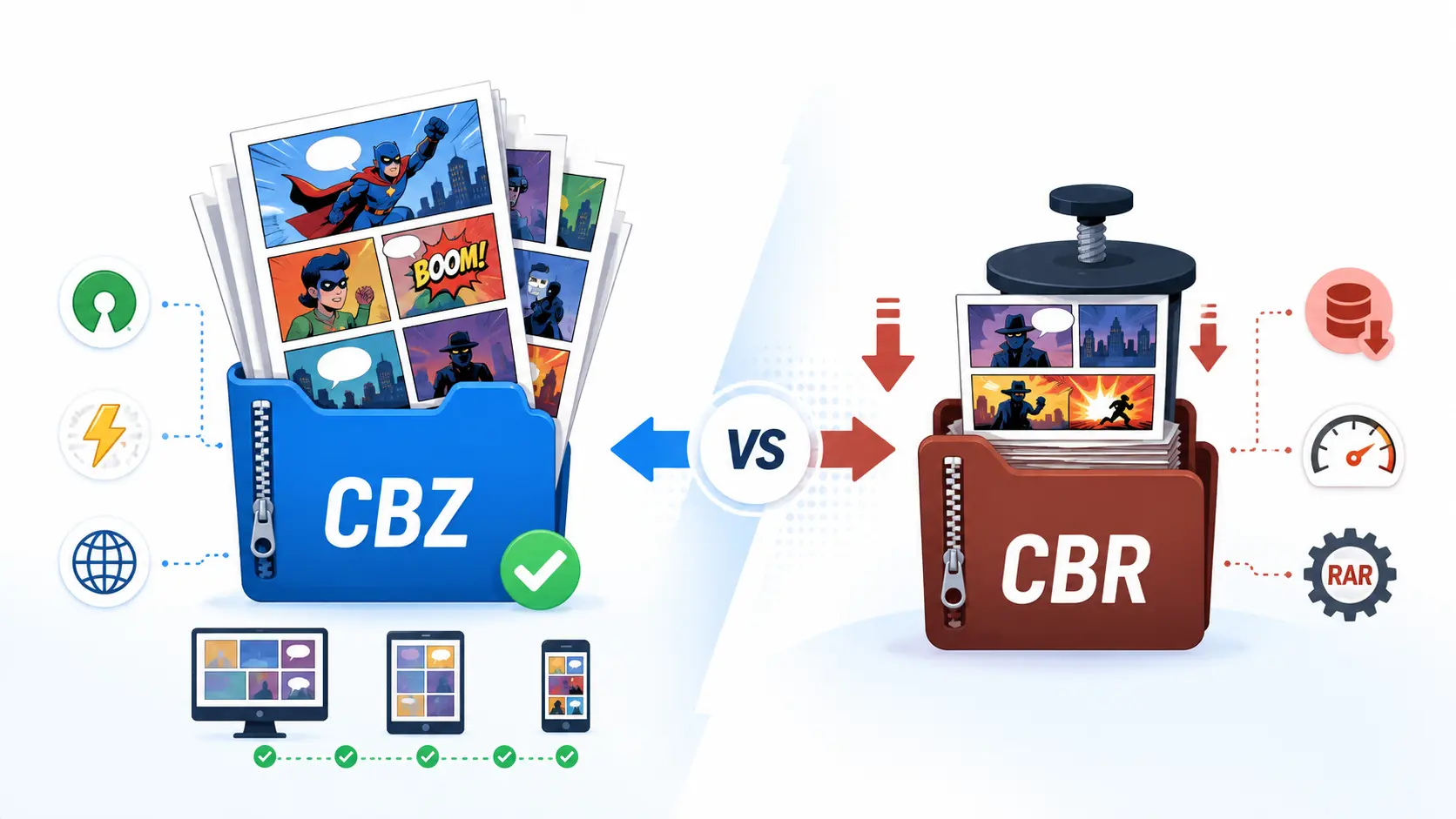
TL;DR – CBZ is a ZIP‑based comic container that’s universally supported, free, and fast. CBR is a RAR‑based container that squeezes a few extra megabytes out of each issue at the cost of a proprietary codec and slightly slower extraction. For most readers and creators, CBZ is the safe, future‑proof choice; pick CBR only when you need every last byte saved and you already have a RAR decoder on every target device.
1. What are CBZ and CBR? (the “container” basics)
Both CBZ (Comic Book ZIP) and CBR (Comic Book RAR) are containers – they simply bundle a series of image files (usually JPEG or PNG) in the order they should be read.
- CBZ = a regular
.ziparchive renamed with the.cbzextension. - CBR = a regular
.rararchive renamed with the.cbrextension.
Because they are just archives, neither format includes DRM; any copy‑protection is added by the distributor, not by the container itself. The only thing that matters for page order is the naming convention (e.g., 001.jpg, 002.jpg, …).
| Feature | CBZ | CBR |
|---|---|---|
| Underlying archive | ZIP (open‑source) | RAR (proprietary) |
| Compression algorithm | Deflate (lossless) | LZMA/LZ77 (higher ratio) |
| Typical issue size | 30‑120 MB | 25‑100 MB (≈ 5‑15 % smaller) |
| Platform support | Built‑in on Windows/macOS/Linux | Requires WinRAR/UnRAR or compatible decoder |
| Legal/royalty status | 100 % free | Commercial codec, licensing may be required |
2. Compression & Performance Trade‑offs
| Aspect | ZIP (CBZ) | RAR (CBR) |
|---|---|---|
| Speed | Decompresses instantly on virtually any device; ideal for low‑end phones and tablets. | Slightly slower (extra ms to a few hundred ms) – noticeable only on very old hardware. |
| Size | Good enough for most scans; compression ratio ≈ 2‑3×. | Higher ratio ≈ 3‑5×, shaving 5‑15 % off large, high‑resolution issues (especially > 300 dpi). |
| CPU usage | Light; ZIP is native to most OSes. | Heavier; RAR’s LZMA needs more CPU cycles, which can drain battery on mobile. |
| Real‑world impact | With modern broadband/5G, the few megabytes saved rarely affect download time. | For massive libraries (e.g., a 2 TB collection of 500 issues), the cumulative savings become noticeable. |
Bottom line: If you care about speed and universality, go CBZ. If you’re a power user hunting every megabyte, CBR (or the newer .cb7) can be worth it.
3. Compatibility Matrix & Reader Support
| Reader | CBZ support | CBR support | Notes |
|---|---|---|---|
| CDisplayEx (Windows) | ✅ | ✅ (bundles UnRAR) | |
| ComicRack (Windows/Android) | ✅ | ✅ | |
| Perfect Viewer (Android) | ✅ | ✅ (optional RAR plugin) | |
| Chunky (iOS/Android) | ✅ | ✅ (adds ~2 MB for RAR engine) | |
| Mcomix (Linux) | ✅ | ❌ (needs external unrar) | |
| Simple Comic (macOS) | ✅ | ❌ | |
| iOS Books | ✅ | ❌ | |
| Google Play Books | ✅ | ✅ (converts on upload) | |
| Kobo | ✅ | ❌ | |
| Calibre (e‑book manager) | ✅ | ✅ (via plugin) | |
| SumatraPDF | ✅ | ❌ (removed CBR support in 2024 to avoid licensing fees) |
The majority of mobile‑first readers now default to CBZ because it doesn’t require bundling a proprietary decoder, keeping app size lean.
4. Metadata, DRM‑Free Ethos, and Future‑Proofing
Both containers can embed a ComicInfo.xml file (the ComicRack standard) or the newer ComicBookInfo.xml. The Comic Book Metadata Initiative (CBMI) v2.1 (released 2025) adds tags for series, volume, issue number, language, and page type (cover, interior, back‑cover). Because ZIP is an ISO/IEC 21320‑1 standard, any future OS will be able to read a CBZ without extra software. RAR’s proprietary nature means that if the codec ever disappears, old CBR files could become inaccessible without a licensed decoder.
Key take‑aways:
- DRM‑free by design – both formats are just archives.
- Legal safety – distributing CBZ never raises licensing questions; CBR may require a RAR license for commercial use.
- Long‑term access – ZIP’s open standard makes CBZ the safer archival choice.
5. When to Choose Which? (Real‑World Scenarios)
| Situation | Best format | Why |
|---|---|---|
| Sharing a 300‑page manga on Discord or via email | CBZ | Discord auto‑detects ZIP; recipients need no extra software. |
| Building a 2 TB personal library of 500 issues | CBR (or CB7) | 10‑15 % space savings add up to dozens of gigabytes. |
| Publishing a free webcomic on WordPress | CBZ | Users can click “Download” and browsers unzip instantly; no licensing headaches. |
| Creating a read‑offline bundle for an Android tablet with limited storage | CBR (if the tablet already has a RAR decoder) | Slightly smaller file extends usable storage. |
| Developing a cross‑platform comic reader in Python | CBZ | Python’s standard zipfile library handles it without external dependencies. |
| Uploading to a cloud library that converts to a streaming format (e.g., ComiXology) | Either, but CBZ is preferred | Conversion pipelines are optimized for ZIP; fewer conversion errors. |
| Supporting an old Windows XP machine | CBR (WinRAR still runs on XP) | Modern unzip tools may not be available. |
6. Quick Conversion Commands (CBZ ↔ CBR)
Create a CBZ (Linux/macOS/WSL)
# Store files without extra compression (fast) – use -9 for max compression
zip -0 -j MyComic.cbz *.jpg *.png
# Add metadata
zip -j MyComic.cbz ComicInfo.xml
Create a CBR (Windows)
"C:\Program Files\WinRAR\Rar.exe" a -m5 MyComic.cbr *.jpg *.png
rem -m5 = medium compression (good balance)
rem Add metadata
rar a MyComic.cbr ComicInfo.xml
Convert CBR → CBZ (any OS)
unrar e MyComic.cbr   # extracts all images to current folder
zip -0 -j MyComic.cbz *.jpg *.png ComicInfo.xml
Convert CBZ → CBR (any OS with WinRAR)
unzip MyComic.cbz -d temp_folder
"C:\Program Files\WinRAR\Rar.exe" a -m5 MyComic.cbr temp_folder\*
These snippets work with the free command‑line tools unrar, unzip, and zip, so you don’t need a GUI.
7. Take‑away Cheat Sheet
- CBZ = ZIP → universal, free, fast, slightly larger.
- CBR = RAR → higher compression, proprietary, slower, marginally smaller.
- Pick CBZ if you value compatibility, ease of creation, and future‑proofing.
- Pick CBR only when file‑size savings matter and you already have a RAR decoder on every target device.
- Both support the same metadata; the real differentiator is the archive engine.
Your turn: If you could only keep one format in your digital library, which would you pick—and why? Drop a comment and share your workflow!