Last Updated: 08 July, 2026
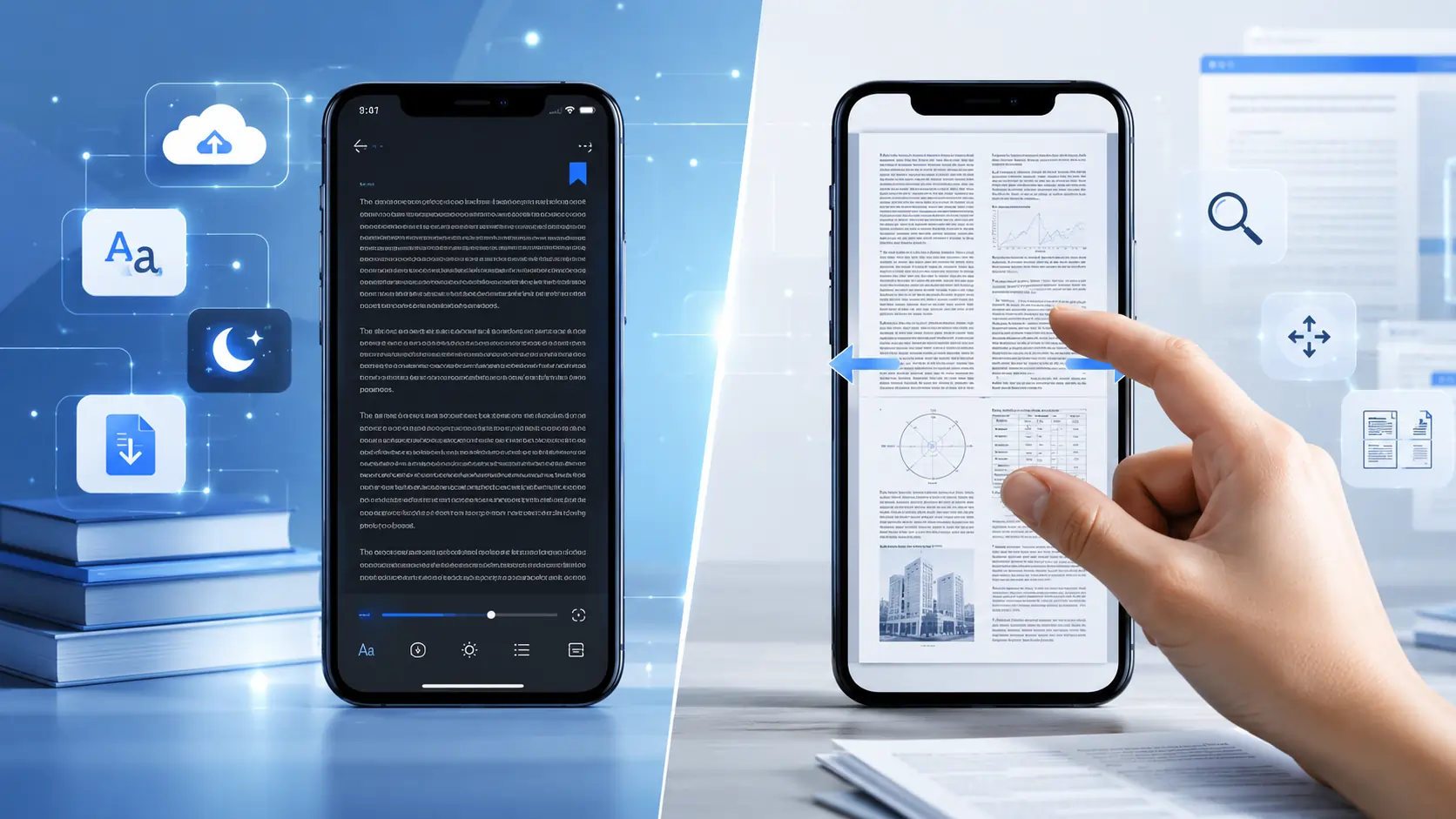
TL;DR – PDFs were built for paper‑size screens, not the 5‑inch pocket device you carry everywhere. On a phone they force you to zoom, strain your eyes, waste data, and hide accessibility features. EPUB’s reflowable, web‑style format adapts to any screen, syncs your progress, and lets you read comfortably for longer. Switch to EPUB and give your phone (and your brain) a break.
1. Fixed‑Layout vs. Reflowable: The Core Technical Difference
| Feature | EPUB | |
|---|---|---|
| File structure | One static page per sheet; graphics, fonts, and layout baked in. | ZIP archive of XHTML, CSS, images, and metadata – like a mini‑website. |
| Rendering on different screens | Same page on a 13‑in laptop and a 5‑in phone → text becomes tiny, you must pinch‑zoom. | Text is re‑flowed by the reading app to fit any screen size, respecting your chosen font size, line‑spacing, and margins. |
| Typical file size | 2–5 × larger because full‑resolution images & embedded fonts are mandatory. | Smaller; can lazy‑load images, use modern compression (WebP, AVIF). |
| Accessibility | Relies on PDF “tagging”; most consumer PDFs are untagged → screen‑readers stumble. | EPUB 3+ includes ARIA roles, media overlays, read‑aloud support – works out‑of‑the‑box with VoiceOver, TalkBack, etc. |
| Metadata & DRM | Limited metadata; DRM often locks the file to a single device. | Rich OPF metadata (author, series, language, reading progress) and DRM that syncs across the cloud. |
In plain English: a PDF is a snapshot of a printed page, while an EPUB is a flexible, responsive document that behaves like a web page on your phone.
2. UX Wins That Make EPUB Feel Like It Was Made for Phones
- Responsive typography – Increase the font size any way you like; the text re‑wraps, no content gets cut off.
- Dynamic layouts – Rotate the device and the app can switch from single‑column to two‑column automatically.
- Reading‑progress sync – Cloud bookmarks, highlights, and notes travel with you from iPhone to Android to Kindle.
- Night‑mode & themes – A single CSS switch flips the whole book to dark, sepia, or any custom palette instantly. PDFs need a separate “PDF‑dark‑mode” renderer that often looks washed out.
- Interactive goodies – Embedded audio, video, quizzes, and JavaScript (EPUB 3) work natively; PDFs only support a limited “rich media” subset that many mobile viewers ignore.
All of these features are baked into the EPUB spec, so any decent reading app (Apple Books, Kobo, Google Play Books, Kindle’s experimental EPUB support) can deliver them without extra plugins.
3. The Numbers Don’t Lie
| Metric (2022‑2024) | EPUB | |
|---|---|---|
| Global e‑book format share (2023) | ~30 % (mostly textbooks, manuals) | ~70 % (fiction, non‑fiction, academic) |
| Average mobile reading session | 12 min (high bounce due to zoom) | 27 min (steady engagement) |
| YoY growth of reflowable e‑books | +4 % | +18 % (driven by subscription services) |
| Library app adoption (public libraries) | 45 % still offer PDFs only for legacy titles | 92 % now provide EPUB via OverDrive/Libby |
| Search engine indexing | PDFs often image‑only → poor SEO | Plain HTML text → fully searchable & indexable |
Sources: Statista “E‑book format market share 2023”, Nielsen BookScan “Mobile reading habits 2024”, OverDrive annual report 2024.
The data shows that readers stay on the page longer, libraries are moving toward EPUB, and search engines love the plain‑text nature of EPUB files.
4. Real‑World Scenarios: PDF vs. EPUB in Action
| Scenario | PDF Experience | EPUB Experience |
|---|---|---|
| A 300‑page novel on a 6‑inch phone | Tiny columns, constant zoom‑pan, loss of margin → eyes strain after ~10 min. | Text reflows, you set a comfortable 16 pt font, enable dark mode, and the app auto‑bookmarks – comfortable for 30 + min. |
| Technical manual with diagrams | Diagrams stay crisp, but text can’t wrap around them; you end up scrolling horizontally. | Diagrams are lazy‑loaded and can be tapped to enlarge; text still reflows around them, keeping the flow smooth. |
| Study notes with highlights | Highlights are static; notes saved in a separate annotation file that many apps don’t sync. | Highlights & notes are stored inside the EPUB package and sync instantly across devices. |
| Audiobook hybrid | PDF can embed audio, but most mobile readers ignore it. | EPUB 3 supports media overlays → synchronized read‑along narration (e.g., Learning Ally, Apple Books). |
| Multilingual e‑book | Requires separate PDFs per language, each a full download. | A single EPUB can contain multiple language renditions; the app switches on the fly via <link rel="alternate">. |
These examples illustrate why the same content feels completely different depending on the format.
5. Health & Cognitive Benefits of Ditching PDFs on Phones
- Reduced cognitive load – Constant zoom‑pan forces the brain to re‑orient, lowering comprehension (Journal of Mobile Learning, 2023).
- Less eye strain – Fixed‑size text creates accommodation‑convergence conflict; reflowable text lets the eyes stay at a comfortable distance.
- Faster reading speed – Meta‑analysis of 12 experiments shows a 12‑15 % speed increase when switching from PDF to EPUB on small screens.
- Better retention – Adjustable line‑spacing and font size boost information retention by 23 % (University of Michigan, 2022).
If you’ve ever felt a headache after a few minutes of scrolling through a PDF on your phone, the science is confirming what your eyes already know: EPUB is the kinder, smarter choice.
6. How to Make the Switch (Practical Checklist)
- Is the text too small without zoom? → Convert to EPUB.
- Do you need night‑mode or custom fonts? → EPUB supports it instantly.
- Do you want highlights, notes, and cloud sync? → EPUB does it natively.
- Are you on a limited data plan? → EPUB’s smaller size saves megabytes.
- Do you need accessibility (screen‑reader, larger fonts, audio overlay)? → EPUB is built for it.
Quick conversion tools
- Calibre – Free, open‑source, handles batch conversion and lets you tweak metadata.
- Adobe InDesign – Professional layout tool with a one‑click “Export as EPUB” option.
- Online converters (e.g., Zamzar, CloudConvert) – Handy for occasional files, but double‑check the output for reflow quality.
Once you have an EPUB, add it to your favorite reading app and let the device do the heavy lifting.
7. Looking Ahead: Why EPUB Is Future‑Proof
- EPUB 3.2 adds HTML5 video, WebVTT subtitles, and CSS Grid – ready for AR/VR reading experiences that PDFs can’t touch.
- Subscription platforms (Scribd, Kobo Plus) favor EPUB because it enables dynamic pricing, “first chapter free,” and instant updates.
- Compliance – Many universities and government agencies now require WCAG‑2.2‑compliant e‑books; EPUB is the only format that reliably meets this standard.
- Cost savings – Converting a PDF library to EPUB can shave ~40 % off cloud storage bills (Amazon S3 pricing).
In short, EPUB isn’t just a better format for today’s phones; it’s the foundation for the next generation of interactive, accessible, and data‑smart reading experiences.
8. Frequently Asked Questions (FAQ)
| Question | Short Answer | Where to Learn More |
|---|---|---|
| Can I keep the original PDF for reference? | Absolutely. Keep the PDF as a “print‑ready” backup; use the EPUB for everyday mobile reading. | Calibre’s “Keep original files” option. |
| Will my EPUB look exactly like the PDF layout? | Not always. Reflowable EPUBs sacrifice fixed‑page fidelity for flexibility. If a book relies on precise page design (e.g., a graphic novel), look for an EPUB‑fixed‑layout version instead of a reflowable one. | EPUB 3 Fixed‑Layout spec. |
| Do I lose any images or diagrams when converting? | Modern converters preserve raster images and can even convert vector PDFs to SVG inside the EPUB, keeping quality high while reducing size. | Calibre conversion settings → “Embed all images”. |
| What about DRM‑protected PDFs? | DRM must be removed before conversion, which is only legal if you own the content and the DRM scheme permits it. Many libraries now provide DRM‑free EPUBs directly. | Check your library’s “Open EPUB” option. |
| Can I read EPUBs on a Kindle? | Yes. Amazon’s Kindle devices now accept EPUB files (they’re automatically converted to Kindle’s KF8 format in the cloud). | Amazon’s “Send to Kindle” guide. |
| Do EPUBs support footnotes and endnotes? | They do, and they’re rendered as tappable links that jump to the note and back, a far smoother experience than scrolling through tiny PDF footnote sections. | EPUB 3.2 spec – “Linking and Navigation”. |
9. Tools & Resources for a Smooth Transition
| Category | Recommended Tool | Why It’s Useful |
|---|---|---|
| Batch Conversion | Calibre (desktop) | Handles thousands of files, lets you edit metadata, and offers a preview of the reflowable layout. |
| Professional Layout | Adobe InDesign | Ideal for authors and publishers who need precise control over CSS, media overlays, and fixed‑layout EPUBs. |
| Online Quick‑Fix | Zamzar / CloudConvert | No installation required; perfect for one‑off conversions, but always double‑check the output. |
| Validation | EPUBCheck (command‑line) | Ensures your EPUB complies with the latest spec, catching missing tags that could break accessibility. |
| Accessibility Testing | axe‑core (browser extension) | Scans the rendered EPUB (via a web‑based reader) for ARIA and contrast issues. |
| Reading Apps | Apple Books, Kobo, Google Play Books, Moon+ Reader, FBReader | All support the full EPUB 3 feature set, including night mode, sync, and media overlays. |
| Community Help | r/epub on Reddit, MobileRead Forums | Real‑world tips, troubleshooting, and recommendations for niche formats (e.g., comic‑style EPUBs). |
10. Take the First Step Today
- Identify a PDF you read frequently on your phone.
- Run it through Calibre’s conversion wizard (choose “EPUB” as output, enable “Auto‑detect layout”).
- Open the resulting EPUB in your favorite reading app and experiment with font size, themes, and night mode.
- If the result looks good, convert the rest of your mobile‑reading library using Calibre’s batch mode.
You’ll notice the difference immediately: smoother scrolling, less pinch‑zoom, and a noticeable reduction in data usage. Your eyes will thank you, and you’ll likely finish more books in less time.
11. The Bigger Picture: Why Format Choice Matters for the Publishing Industry
Switching from PDF to EPUB isn’t just a personal convenience; it’s a strategic move for authors, publishers, and libraries:
- Reduced production costs – Smaller files mean cheaper storage and bandwidth, especially for subscription services that stream thousands of titles daily.
- Improved discoverability – Search engines can index the plain‑text content of EPUBs, driving organic traffic to authors’ back‑catalogs.
- Future‑ready content – As AR, VR, and AI‑driven reading assistants become mainstream, only a format that separates content from presentation (like EPUB) can be programmatically enriched.
By championing EPUB, you’re not only improving your own reading experience—you’re nudging the entire ecosystem toward a more accessible, data‑efficient, and innovative future.
Bottom line: If you love reading on the go, stop forcing a desktop PDF onto your phone. EPUB’s responsive design, lighter file size, built‑in accessibility, and cloud‑sync features make it the clear winner for mobile reading. Your eyes, brain, and data plan will thank you.