Last Updated: 28 July, 2026
TL;DR
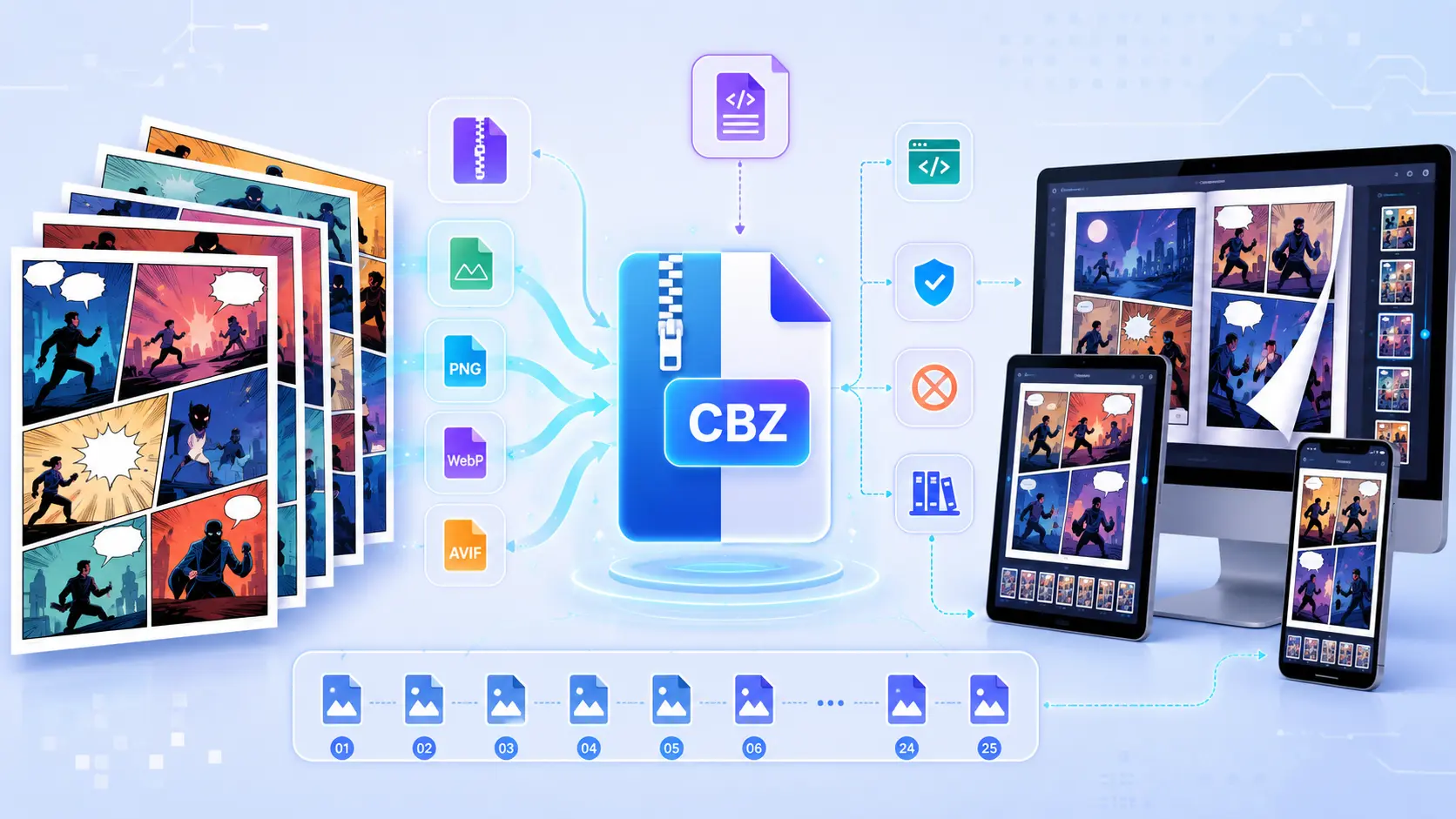
CBZ (Comic Book Zip) is nothing more than a standard ZIP archive that bundles a series of sequential image files—plus optional metadata—into a single, DRM‑free comic container. Because it relies on the ubiquitous ZIP format, any archiving tool can open it, and readers simply sort the images alphabetically to display pages in order. Modern CBZs often include ComicInfo.xml for rich library data, use efficient image codecs like WebP/AVIF, and even embed HTML for interactive “enhanced” comics.
What Exactly Is a CBZ?
- Name: Comic Book Zip – a ZIP file with the
.cbzextension. - MIME type:
application/vnd.comicbook+zip(registered with IANA in 2012). - Origins: Popularized by the ComicRack community (2005‑2008) as an open‑source alternative to proprietary formats like CBR or PDF.
- Cross‑platform: Openable with any ZIP‑compatible utility (7‑Zip, WinRAR, macOS Archive Utility, Linux
unzip). No special software is required to inspect the contents.
In practice, a CBZ is just a folder of images (JPEG, PNG, WebP, etc.) zipped up and renamed. That simplicity is why it’s the de‑facto standard for digital comics on PCs, tablets, and phones.
Inside a CBZ: The File Structure
A well‑formed CBZ follows a flat hierarchy—no extra nesting—so readers can locate pages instantly. Below is a typical tree view:
MyComic.cbz
│
├─ 001.jpg          ← first page (front cover)
├─ 002.jpg
├─ 003.jpg
│   …
├─ 050.jpg          ← last page (back cover)
├─ ComicInfo.xml    ← optional rich metadata
└─ cover.jpg        ← optional thumbnail for library views
Key Elements
| Element | What It Is | Why It Matters |
|---|---|---|
| Sequential image files | Named so they sort alphabetically (001.jpg, 002.jpg, …) | Guarantees correct page order across every reader. |
| Image format | JPEG, PNG, GIF, WebP, AVIF, BMP, TIFF | Determines file size, visual fidelity, and device compatibility. |
| ComicInfo.xml | Optional XML following the ComicRack schema | Stores title, author, series, issue number, language, page‑type flags, and even thumbnail data. Enables powerful library management. |
| Cover image | cover.jpg/cover.png at the root | Used by many apps as the comic’s thumbnail in galleries. |
| Unicode filenames | Modern ZIP supports UTF‑8 | Essential for non‑Latin titles and international comics. |
| ZIP central directory | Index at the end of the archive | Readers read this to build the page list quickly; corruption here can break the whole CBZ. |
Because the archive only compresses already‑compressed images, the final size is usually just the sum of the original files plus a few kilobytes of ZIP overhead (< 5 %).
Metadata Magic: ComicInfo.xml and Page‑Type Flags
While a CBZ works perfectly without any extra files, adding a ComicInfo.xml turns a simple image stack into a searchable, richly described comic. Here’s a minimal example:
<?xml version="1.0" encoding="utf-8"?>
<ComicInfo>
  <Title>Starship Voyager</Title>
  <Series>Space Adventures</Series>
  <Number>12</Number>
  <Writer>Jane Doe</Writer>
  <Penciller>John Smith</Penciller>
  <Inker>Alex Lee</Inker>
  <Publisher>Galaxy Press</Publisher>
  <Year>2024</Year>
  <LanguageISO>en</LanguageISO>
  <PageCount>50</PageCount>
  <Pages>
    <Page Image="001.jpg" Type="FrontCover"/>
    <Page Image="002.jpg" Type="Story"/>
    <Page Image="025.jpg" Type="DoublePage"/>
    <Page Image="050.jpg" Type="BackCover"/>
  </Pages>
</ComicInfo>
Why bother?
- Library tools (ComicRack, Calibre, etc.) can sort, filter, and search based on these fields.
- Page‑type flags (
FrontCover,BackCover,Advert,Deleted, etc.) let readers hide ads, show only story pages, or display a custom cover thumbnail. - Future‑proofing – As the Digital Comics Initiative drafts a CBZ v2.0 spec, a manifest file (
manifest.json) may become mandatory, but existing readers will still honorComicInfo.xml.
Creating & Converting CBZ Files (Step‑by‑Step)
1. Prepare Your Images
- Export each comic page as an image.
- Name them with zero‑padded numbers (
001.jpg,002.jpg, …) to guarantee correct sorting. - Choose the codec that fits your audience: JPEG for smallest size, PNG for lossless art, WebP/AVIF for modern, high‑quality compression.
2. (Optional) Generate Metadata
Tools like ComicTagger, cbr2cbz, or custom scripts can auto‑populate ComicInfo.xml using OCR + LLMs. This step is optional but highly recommended for large libraries.
3. Zip It Up
# Navigate to the folder containing the pages
cd /path/to/pages

# Create a CBZ without extra compression (JPEGs are already compressed)
zip -0 -r ../MyComic.cbz *.jpg *.png ComicInfo.xml cover.jpg
# -0 = store (no compression) – speeds up the process
Rename the resulting .zip to .cbz if your archiver didn’t do it automatically.
4. Verify the Archive
import zipfile, pathlib, sys

def list_pages(cbz_path: pathlib.Path):
    with zipfile.ZipFile(cbz_path, 'r') as z:
        # Guard against zip‑bombs (max 500 MB uncompressed)
        total = sum(z.getinfo(name).file_size for name in z.namelist())
        if total > 500 * 1024 * 1024:
            raise ValueError("Archive too large")
        images = [n for n in z.namelist()
                  if n.lower().endswith(('.jpg', '.jpeg', '.png', '.webp', '.avif'))]
        images.sort()  # natural alphabetical order
        return images

if __name__ == "__main__":
    cbz = pathlib.Path(sys.argv[1])
    for page in list_pages(cbz):
        print(page)
Running python list_pages.py MyComic.cbz should print a clean, ordered list of page filenames.
5. Convert to PDF (if you need a printable version)
unzip -q MyComic.cbz -d tmp_pages
convert tmp_pages/*.jpg MyComic.pdf   # ImageMagick's `convert`
rm -r tmp_pages
Trends, Security, and the Future of CBZ
| Trend | What’s Happening | Impact on CBZ |
|---|---|---|
| Web‑first distribution | Publishers host CBZs on cloud storage with pre‑signed URLs. | Faster, DRM‑free downloads; easier self‑publishing. |
| Hybrid/interactive comics | Adding index.html + assets inside the archive creates “enhanced” comics (audio, video, HTML5). | Readers that support a web view can render multimedia layers. |
| Adoption of WebP & AVIF | ~15 % of new releases (2024) use these codecs. | 30‑50 % size reduction while preserving quality—crucial for mobile bandwidth. |
| AI‑generated metadata | Tools like ComicTagger now use OCR + LLMs to fill ComicInfo.xml. | Better discoverability, automated tagging, and library organization. |
| Cloud‑sync reading apps | Chunky, Perfect Viewer, and others sync progress via Firebase/iCloud. | Seamless reading across phones, tablets, and desktops. |
| Standardization push (CBZ v2.0) | DCI proposes a mandatory manifest.json, multi‑resolution assets, and a <DRM> flag. | Will make CBZ more robust for high‑DPI devices and optional rights management. |
| Security awareness | Zip‑bomb attacks (tiny ZIP → gigabytes when extracted) are a real threat. | Readers now enforce extraction size limits and use safe libraries (e.g., Python’s zipfile with checks). |
Security Tip for Developers
Always validate the total uncompressed size before extracting a CBZ. A simple check (as shown in the Python snippet) prevents malicious archives from exhausting disk space or memory.
How a Reader Actually Renders a CBZ
- Open the archive – The app reads the ZIP central directory to get a quick index of entries.
- Filter image files – Non‑image entries (
ComicInfo.xml,__MACOSX/, etc.) are ignored. - Sort alphabetically – Because of the zero‑padded naming, the sorted list matches the intended page order.
- Parse metadata – If
ComicInfo.xmlexists, the reader extracts page‑type flags, title, author, etc., and may hide pages marked asAdvertorDeleted. - Render pages – Images are decoded (often with hardware‑accelerated JPEG/WebP decoders on modern e‑ink tablets) and displayed one‑by‑one, with pre‑fetching of the next few pages for smooth scrolling.
- Persist state – Reading position, bookmarks, and annotations are saved locally or synced to the cloud, depending on the app.
That pipeline is why CBZ feels as fast and responsive as a native PDF, yet remains completely open and editable.
Bottom line: CBZ’s elegance lies in its simplicity—a plain ZIP that anyone can open, edit, or repurpose. With optional ComicInfo.xml metadata, modern image codecs, and emerging standards, it continues to evolve while staying true to its DRM‑free, cross‑platform roots.