Last Updated: 19 Oct, 2026
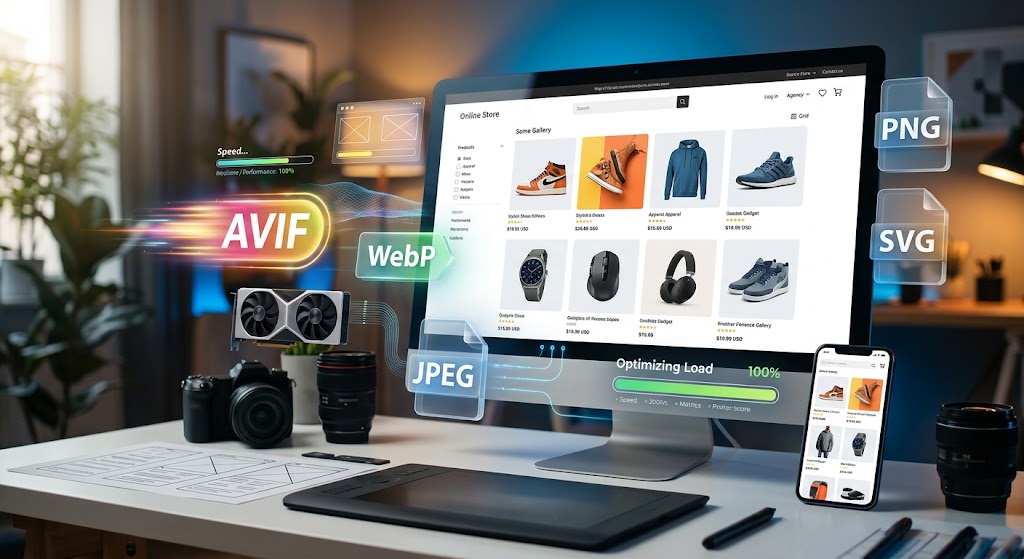
Best Image Formats for E-commerce Product Galleries: The Complete Guide
High-resolution photography is the backbone of any successful online store. When customers cannot physically touch, hold, or inspect an item, your product gallery does all the heavy lifting. Crisp zoom levels, accurate colors, and multi-angle views build confidence and drive purchases.
However, stunning visuals come with a silent trade-off: page weight.
Product images routinely account for over 60% of an e-commerce page’s total payload. If your galleries take more than three seconds to load, bounce rates skyrocket, conversions plunge, and search engines dock your Core Web Vitals scores.
Choosing the right image formats is no longer just a graphic design preference—it is a critical technical SEO and revenue decision. In this guide, we break down the top image formats for e-commerce product galleries, compare their strengths and weaknesses, and share actionable optimization workflows.
Why Image Format Optimization Matters for E-commerce
Before diving into specific formats, let’s look at how image format selection directly impacts your bottom line:
- Google Core Web Vitals (CWV): Images heavily influence Largest Contentful Paint (LCP). Serving bloated image assets is the fastest way to fail LCP audits, hurting your search rankings.
- Mobile Shopper Retention: Over 60% of digital retail traffic comes from mobile devices, often on fluctuating cellular networks. Optimized file sizes ensure quick browsing on mobile screens.
- Conversion Rates: Studies consistently show that every single second of delay in page load time can reduce conversions by up to 7%.
- Bandwidth Costs: Modern formats slash CDN and cloud storage bandwidth costs by up to 30% to 50% across large catalog inventories.
Evaluating the Top Image Formats for Product Galleries
Let’s examine the primary raster and vector formats available today and where they fit into your product display architecture.
1. WebP: The Current Industry Standard
Developed by Google, WebP has become the default modern image standard for the web. It provides both lossy and lossless compression with universal browser support (over 96% globally).
- File Size Advantage: Typically 25% to 35% smaller than comparable JPEGs at similar visual fidelity.
- Transparency Support: Supports alpha-channel transparency while retaining lossy compression, which is ideal for transparent cutouts on colored product cards.
- Where to Use: Primary product cards, catalog thumbnails, gallery sliders, and lifestyle imagery.
Verdict: WebP should be your default production format for nearly all product gallery views.
2. AVIF: The Next-Gen Heavyweight
AVIF (AV1 Image File Format) is an open-source, royalty-free format derived from the AV1 video codec. It represents the cutting edge of image compression technology.
- File Size Advantage: AVIF frequently delivers 20% to 50% smaller files than WebP and up to 70% smaller than JPEG, especially in photographic scenes with rich gradients and shadows.
- High Dynamic Range (HDR): Supports 10-bit and 12-bit color depth, preserving nuanced highlights and shadows in premium luxury goods and apparel.
- Trade-offs: Encoding AVIF images requires significantly more CPU power during generation, and older browsers lack native support.
- Where to Use: Large hero gallery images, high-res zoom triggers, and performance-critical landing pages when paired with proper fallbacks.
Verdict: The gold standard for cutting-edge speed. Use AVIF as the primary modern format, served alongside WebP fallbacks.
3. JPEG / MozJPEG: The Reliable Fallback
JPEG has powered the web for three decades. While modern codecs outperform traditional JPEGs, optimized encoders like MozJPEG keep this format relevant.
- Universal Compatibility: 100% device and browser support without requiring fallback logic.
- Progressive Rendering: Progressive JPEGs render a low-resolution blurry preview instantly while the full asset downloads, enhancing perceived loading speed.
- Where to Use: Legacy fallbacks for non-modern browsers and export feeds to third-party marketplaces (Amazon, eBay, Google Shopping feed specs).
Verdict: Keep optimized progressive JPEGs as your universal baseline fallback.
4. PNG: Precision & Transparency (Use With Caution)
PNG is a lossless format designed to preserve exact pixel data. While it delivers razor-sharp results, its file sizes are massive compared to WebP and AVIF.
- When to Use PNG: Isolated product assets with sharp edges, technical schematics, dimension diagrams, and graphics with high-contrast text overlays.
- When to Avoid PNG: Never use raw PNG-24 for full photographic backgrounds or multi-angle product photography. A single 2000px PNG photo can easily exceed 2.5MB.
Verdict: Reserve strictly for icons, UI badges, or isolated product cutouts where lossless transparency is indispensable (or convert them to lossless WebP).
5. SVG: Vector Graphics for UI and Dynamic Assets
Scalable Vector Graphics (SVG) are code-based XML vectors rather than pixel grids. They scale infinitely without losing sharpness.
- Where to Use: Swatch indicators, color variant dots, 360-degree rotation icons, brand logos, and size chart diagrams.
- Where to Avoid: Complex real-world photography.
Verdict: The essential companion format for your product page UI elements.
Quick Comparison: Image Formats at a Glance
| Format | Best For | Typical Compression Savings | Transparency | Browser Support |
|---|---|---|---|---|
| AVIF | Hero images, zoom views | 50%–70% vs JPEG | Yes | ~93%+ |
| WebP | Default product gallery images | 25%–35% vs JPEG | Yes | ~96%+ |
| JPEG | Universal fallback, merchant feeds | Baseline | No | 100% |
| PNG | Graphics with text, sharp borders | Heavy (Lossless) | Yes | 100% |
| SVG | Badges, icons, swatch selectors | Vector-based | Yes | 100% |
Modern Implementation: The <picture> Tag Strategy
To deliver the absolute smallest payload without breaking older devices, implement progressive enhancement using HTML5’s <picture> element.
This approach allows modern browsers to pick the most efficient format while providing a safe fallback:
<picture>
  <!-- Serve AVIF to cutting-edge browsers -->
  <source srcset="product-front.avif" type="image/avif">

  <!-- Serve WebP to supporting browsers -->
  <source srcset="product-front.webp" type="image/webp">

  <!-- Fallback to optimized Progressive JPEG -->
  <img
    src="product-front.jpg"
    alt="Ergonomic Leather Office Chair - Front Angle"
    width="800"
    height="800"
    loading="lazy"
    decoding="async">
</picture>
Key Technical Best Practices:
- Explicit Dimensions: Always define
widthandheightattributes to prevent Cumulative Layout Shift (CLS). - Native Lazy Loading: Apply
loading="lazy"to all gallery images below the initial viewport. Keep your main above-the-fold hero image set toloading="eager"or usefetchpriority="high". - Automate via Image CDN: Instead of manually converting thousands of catalog photos, utilize a modern Image CDN (e.g., Cloudinary, Cloudflare Images, Imgix) to automatically negotiate formats using the
Acceptheader.
Essential SEO Optimization Tips for Product Galleries
Selecting the right format solves speed, but discoverability requires on-page image SEO:
- Descriptive File Naming: Replace cryptic camera exports (
IMG_9042.jpg) with keyword-rich names:mens-merino-wool-crew-sweater-navy.webp. - Contextual Alt Text: Write accurate, human-readable alt text that describes the product view and variant:
alt="Men's navy merino wool crewneck sweater on model, side profile view". - Product Schema Markup: Ensure your structured data (
ProductJSON-LD) references high-resolution URLs to enable Google Merchant rich results. - Image XML Sitemaps: Include gallery image URLs in your XML sitemaps to ensure search crawlers index secondary angle shots.
Final Thoughts: The Winning Formula
You don’t have to choose between visual fidelity and lightning-fast load times. The winning formula for modern e-commerce product galleries is clear:
- Capture your master files in uncompressed RAW or high-bitrate TIFF/PNG.
- Store the original master as your high-resolution source.
- Serve dynamic galleries using AVIF for maximum compression, backed by WebP for wide compatibility, and keep a compressed JPEG as a safety net.
Adopting this multi-format strategy keeps your pages fast, your bounce rates low, and your product details razor-sharp.
Frequently Asked Questions (FAQ)
Q1: Does converting e-commerce images to WebP reduce photo quality? No, properly encoded WebP retains high visual fidelity while reducing file sizes significantly compared to standard JPEGs.
Q2: Is AVIF fully supported across modern web browsers? Yes, all major modern desktop and mobile browsers—including Chrome, Safari, Firefox, and Edge—now offer native AVIF support.
Q3: Should I use PNG format for my main product gallery images? No, PNG files are far too large for photographic images and will significantly slow down your page loading speed.
Q4: Can using modern image formats improve my store’s Google rankings? Yes, faster loading times directly enhance Core Web Vitals scores, which Google incorporates as a key ranking factor.
Q5: What is the recommended file size for an e-commerce product image? Most standard product gallery images should remain under 100 KB to 150 KB without sacrificing clarity on high-density displays.