最終更新日: 2026年4月13日
はじめに
If you’ve ever worked with PowerPoint presentations, you’ve likely come across file extensions like PPT, PPTX, and PPSX. While they may seem similar at first glance, each format serves a unique purpose and is optimized for different use cases. Understanding the differences between these formats is essential—not just for everyday users, but also for developers, content creators, and businesses aiming to streamline their presentation workflows.
In this guide, we’ll break down each format in detail, compare their features, and help you decide when to use PPT, PPTX, or PPSX for maximum efficiency.
PPT とは?
概要
PPT is the older PowerPoint file format introduced with Microsoft PowerPoint 97–2003. It uses a binary file structure, which stores presentation data in a less flexible and less efficient way compared to modern formats.
主な機能
- バイナリ形式(.ppt)
- 古いバージョンのPowerPointと互換性あり
- 最新機能のサポートが限定的
- 新しい形式に比べてファイルサイズが大きい
長所
- レガシーシステムで動作
- まだ古いソフトウェアを使用している組織に適している
短所
- 最新のプレゼンテーション向けに最適化されていない
- ファイル破損のリスクが高い
- マルチメディアや高度なアニメーションのサポートが限定的
PPT を使用すべきとき
- レガシー環境で作業する場合
- 古いPowerPointバージョンとの互換性が必要な場合
- アーカイブされたプレゼンテーションを扱う場合
PPTX とは?
概要
PPTX is the modern PowerPoint file format introduced with Microsoft Office 2007. It is based on the Open XML standard, making it more efficient, flexible, and developer-friendly.
主な機能
- XMLベース(.pptx)形式
- 圧縮されたファイル構造(ZIPコンテナ)
- 高度なアニメーション、メディア、トランジションに対応
- APIや自動化ツールとの統合が容易
長所
- 圧縮によりファイルサイズが小さい
- パフォーマンスと安定性が向上
- プログラムからの編集が容易
- SmartArt、埋め込み動画など最新機能に対応
短所
- 非常に古いPowerPointでは正しく開けない可能性がある
- レガシー環境では互換モードが必要
PPTX を使用すべきとき
- 日常的なプレゼンテーションに
- 最新のPowerPoint機能を使用する場合
- ソフトウェア開発や自動化に
- チームやプラットフォーム間でファイルを共有する場合
PPSX とは?
概要
PPSX is a PowerPoint Show file format. Unlike PPTX, it is designed to open directly in slideshow mode, rather than in editing view.
主な機能
- XMLベース(.ppsx)形式
- 自動的にスライドショーモードで起動
- PPTXと同じ構造だが動作が異なる
長所
- すぐに開始すべきプレゼンテーションに最適
- 誤って編集されるのを防止
- キオスク、イベント、クライアントデモに最適
短所
- 編集には不便
- 変更するにはPPTXに変換する必要がある
PPSX を使用すべきとき
- ライブプレゼンテーション時
- 自動再生スライドショー向け
- 展示会、キオスク、デジタルディスプレイで
- 編集しにくいプレゼンテーションを共有する場合
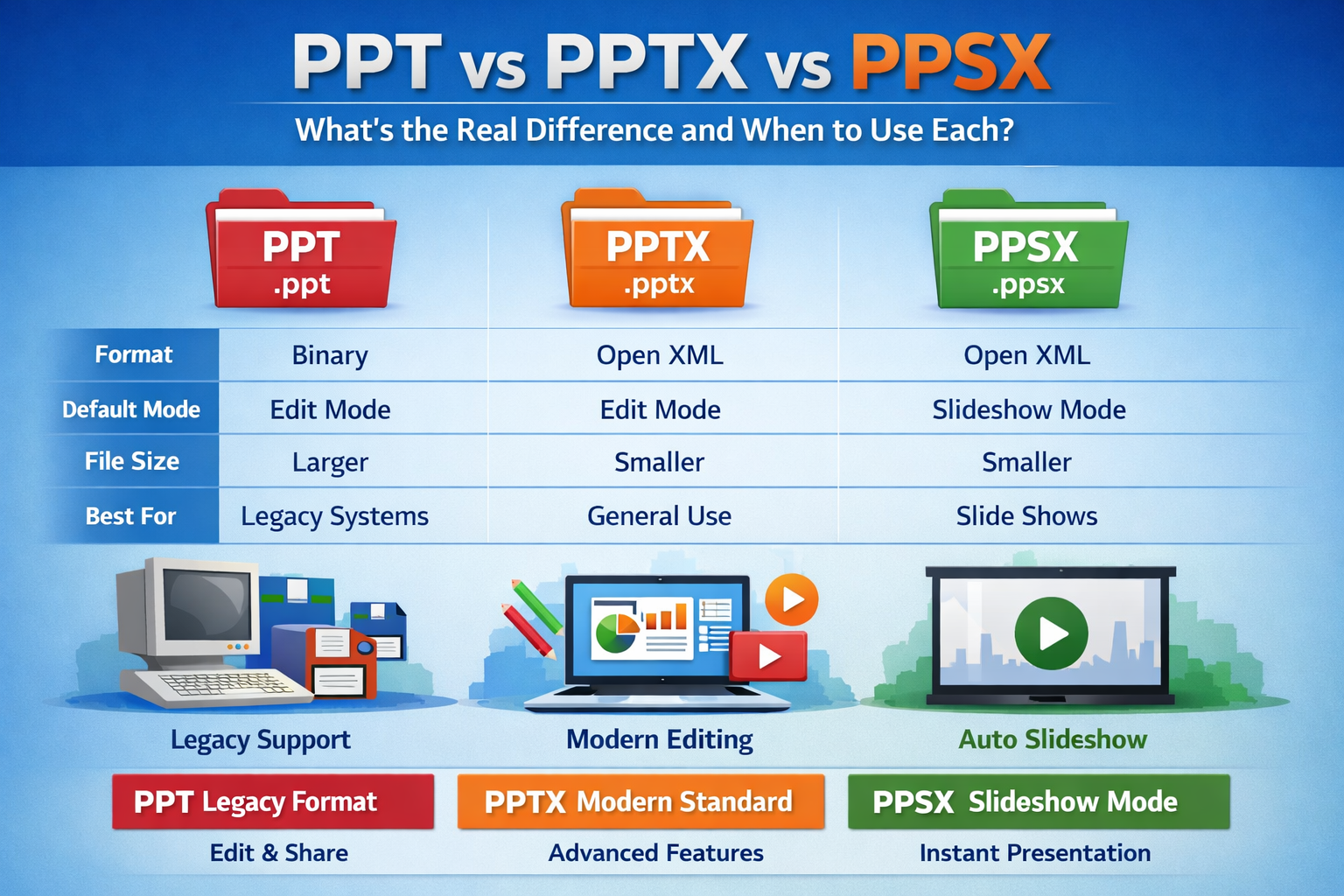
PPT vs PPTX vs PPSX:主要な違い
| No. | 機能 | PPT | PPTX | PPSX |
|---|---|---|---|---|
| 1 | ファイルタイプ | バイナリ | Open XML | Open XML |
| 2 | ファイル拡張子 | .ppt | .pptx | .ppsx |
| 3 | デフォルトモード | 編集モード | 編集モード | スライドショーモード |
| 4 | ファイルサイズ | 大きい | 小さい(圧縮) | 小さい(圧縮) |
| 5 | 互換性 | レガシーシステム | モダンシステム | モダンシステム |
| 6 | 編集機能 | あり | あり | 限定的 |
| 7 | 最適な使用ケース | レガシーサポート | 一般的な使用 | プレゼンテーション表示 |
主要な技術的違い(開発者向け)
One of the biggest distinctions lies in how these formats are structured:
PPT(バイナリ形式)
Harder to parse and manipulate programmatically
PPTX と PPSX(Open XML)
- ZIPアーカイブとして構成
- スライド、メディア、レイアウト用のXMLファイルを含む
- オープンソースライブラリで容易に操作可能
なぜ重要か
Developers can easily build tools for:\
- スライドをプログラムで編集
- コンテンツ(テキスト、画像、メタデータ)の抽出
- レポート生成の自動化
Popular technologies for handling PPTX/PPSX include:
- Open XML SDK(.NET)
- Apache POI(Java)
- python-pptx(Python)
実際の使用例
ビジネスプレゼンテーション
Use PPTX for flexibility and modern features. => 柔軟性と最新機能のために PPTX を使用会議やイベントでの表示
Use PPSX to launch slides instantly without editing options. => 編集オプションなしでスライドを即座に起動するために PPSX を使用レガシーシステムのサポート
Use PPT when working with outdated systems or software. => 古いシステムやソフトウェアで作業する際は PPT を使用自動レポート生成
Use PPTX due to its structured and programmable format. => 構造化されプログラム可能な形式のため PPTX を使用
正しい形式選択のベストプラクティス
- 新しいプレゼンテーションは常に PPTX を優先
- クライアントや観客に提示する際は PPSX を使用
- 絶対に必要な場合を除き PPT は避ける
- パフォーマンスと互換性向上のため、古い PPT ファイルを PPTX に変換
結論
Understanding the differences between PPT, PPTX, and PPSX can significantly improve how you create, share, and present your slides.
- PPT はレガシーサポートに最適
- PPTX は編集と共有のための最新標準
- PPSX は邪魔されずにプレゼンテーションするのに理想的
For most users and developers, PPTX is the go-to format, while PPSX enhances the presentation experience. Choosing the right format ensures better compatibility, performance, and user experience.
よくある質問
Q1: PPT と PPTX の主な違いは何ですか?
A: PPT はレガシーなバイナリ形式で、PPTX はより優れた機能と圧縮を備えた最新の XML ベース形式です。
Q2: PPTX の代わりに PPSX を使用すべきタイミングは?
A: 編集せずにスライドショーモードで直接開くプレゼンテーションが必要な場合に PPSX を使用します。
Q3: PPTX は PPT よりサイズが小さいですか?
A: はい、PPTX は ZIP 圧縮を使用しているため、通常はサイズが小さくなります。
Q4: PPSX ファイルを編集できますか?
A: はい、ただし編集モードで開くか、まず PPTX に変換する必要があります。
Q5: 現在でも PPT 形式は推奨されますか?
A: いいえ、PPT は時代遅れで、古いシステムとの互換性が必要な場合にのみ使用すべきです。