Last Updated: 06 July, 2026
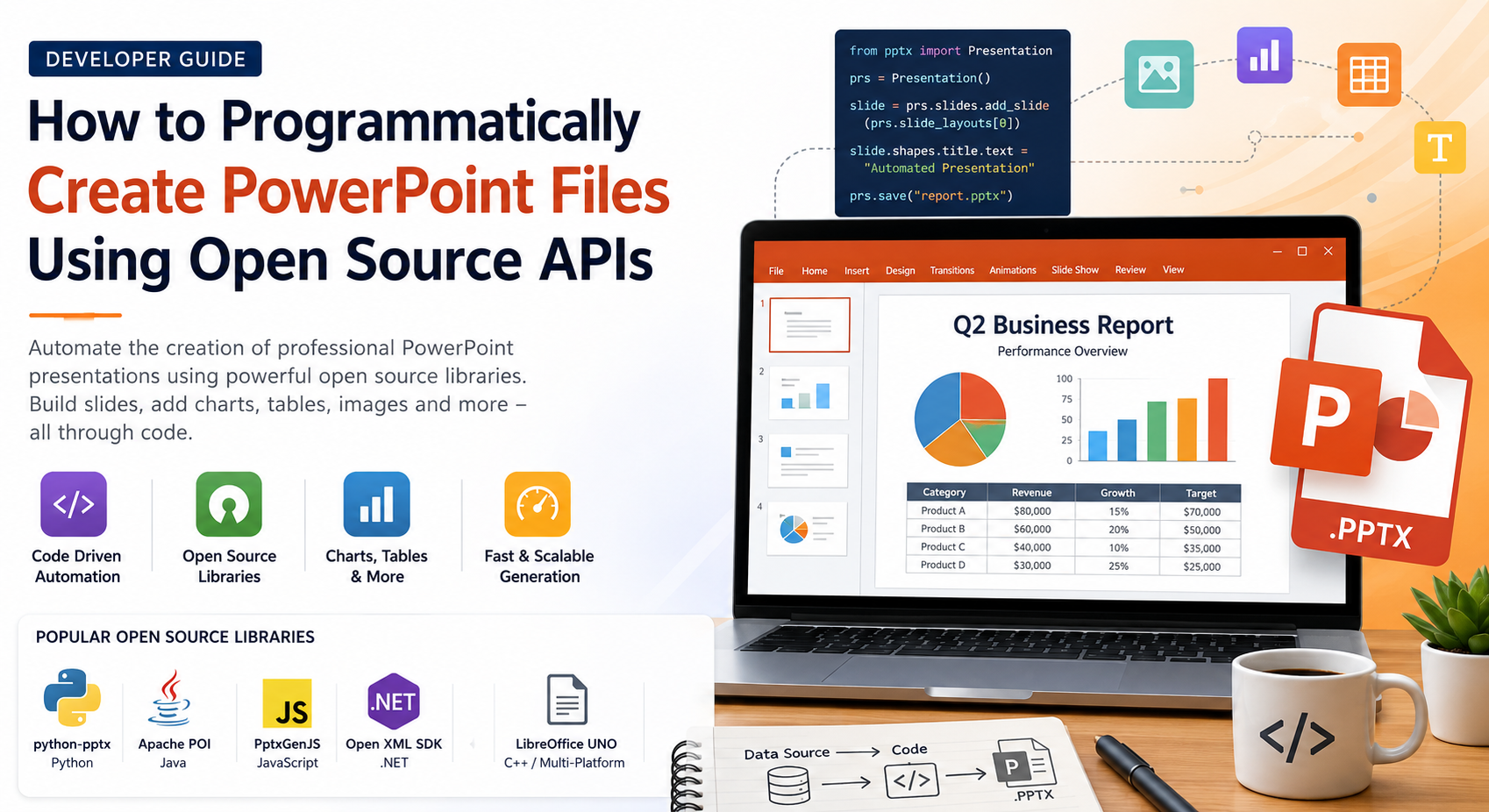
How to Programmatically Create PowerPoint Files Using Open Source APIs
PowerPoint presentations remain one of the most widely used formats for business reports, educational materials, sales pitches, technical documentation, and automated reporting. While presentations are often created manually using Microsoft PowerPoint or similar software, developers increasingly need to generate PowerPoint files automatically from applications, databases, APIs, or analytics platforms.
Modern open source PowerPoint libraries make it possible to build fully formatted PPTX presentations without requiring Microsoft Office. Whether you’re creating weekly business reports, exporting dashboards, generating invoices as presentations, or building presentation generation services, these APIs significantly simplify the development process.
In this guide, we’ll explore why developers generate PowerPoint files programmatically, the advantages of using open source libraries, popular APIs across multiple programming languages, practical examples, and best practices for creating professional presentations.
Why Generate PowerPoint Files Programmatically?
Automated presentation generation saves time while ensuring consistency across thousands of documents.
Common scenarios include:
- Automated business reports
- Financial dashboards
- Marketing presentations
- Product catalogs
- Educational course material
- Project status reports
- Analytics exports
- CRM-generated sales presentations
- Presentation templates with dynamic content
- Batch generation of customer-specific slide decks
Instead of spending hours manually editing slides, developers can generate presentations in seconds using code.
Benefits of Using Open Source APIs
Open source presentation libraries offer numerous advantages compared to proprietary solutions.
Cost Effective
Most open source libraries are completely free, making them ideal for startups, educational institutions, and enterprise applications.
Cross Platform
Many libraries run on Windows, Linux, and macOS without requiring Microsoft Office.
Automation Friendly
Generate hundreds or even thousands of presentations automatically using scheduled jobs or web services.
Easy Integration
Most APIs integrate seamlessly into existing applications, REST APIs, desktop software, and cloud services.
Customizable
Developers have full control over slide layouts, formatting, images, charts, animations, and document properties.
Popular Open Source PowerPoint Libraries
Several mature open source projects simplify PowerPoint generation.
| Language | Library | PPTX Support |
|---|---|---|
| Python | python-pptx | Excellent |
| Java | Apache POI | Excellent |
| JavaScript | PptxGenJS | Excellent |
| .NET | Open XML SDK | Excellent |
| C++ | LibreOffice UNO | Good |
Let’s briefly examine each.
1. python-pptx
Python developers frequently use python-pptx for generating PowerPoint presentations.
It provides a clean API for creating:
- Slides
- Tables
- Charts
- Images
- Text boxes
- Shapes
- Themes
Example:
from pptx import Presentation

presentation = Presentation()

slide_layout = presentation.slide_layouts[0]
slide = presentation.slides.add_slide(slide_layout)

slide.shapes.title.text = "Quarterly Sales Report"

presentation.save("report.pptx")
This simple example creates a new presentation with a title slide.
2. Apache POI (Java)
Apache POI includes the XSLF module for PowerPoint manipulation.
Features include:
- Create presentations
- Edit slides
- Insert charts
- Add images
- Tables
- Shapes
- Rich text formatting
Example:
XMLSlideShow ppt = new XMLSlideShow();

XSLFSlide slide = ppt.createSlide();

XSLFTextBox box = slide.createTextBox();
box.setText("Open Source PowerPoint");

FileOutputStream out = new FileOutputStream("presentation.pptx");
ppt.write(out);
out.close();
Apache POI is widely used in enterprise Java applications.
3. PptxGenJS (JavaScript)
JavaScript developers often choose PptxGenJS.
It supports:
- Browser applications
- Node.js
- Images
- Tables
- Charts
- Speaker notes
- Themes
Example:
const pptxgen = require("pptxgenjs");

let pptx = new pptxgen();

let slide = pptx.addSlide();

slide.addText("Monthly Report", {
    x: 1,
    y: 1,
    fontSize: 24
});

pptx.writeFile("report.pptx");
This library is especially popular for server-side reporting.
4. Open XML SDK (.NET)
The Open XML SDK enables developers to create Office documents without Microsoft Office.
Advantages include:
- Lightweight
- Standards-based
- Fast
- Enterprise ready
- Direct manipulation of PPTX structure
Example:
using DocumentFormat.OpenXml.Packaging;

PresentationDocument.Create(
    "presentation.pptx",
    DocumentFormat.OpenXml.PresentationDocumentType.Presentation
);
Although the SDK operates at a lower level than other libraries, it offers maximum flexibility.
5. LibreOffice UNO API
LibreOffice provides the UNO API for creating and converting presentation documents.
Developers can:
- Create presentations
- Export to PDF
- Modify slides
- Automate LibreOffice
- Convert formats
It is especially useful for Linux server environments.
Common Elements You Can Create
Modern PowerPoint APIs support virtually every presentation component.
Text
- Titles
- Headings
- Paragraphs
- Bullet lists
- Rich formatting
Images
Insert:
- PNG
- JPEG
- SVG
- Icons
- Logos
Tables
Generate tables directly from:
- SQL databases
- Excel sheets
- CSV files
- APIs
Charts
Create:
- Pie charts
- Line charts
- Bar charts
- Area charts
- Scatter plots
Shapes
Draw:
- Rectangles
- Arrows
- Circles
- Smart diagrams
- Flowcharts
Typical Workflow
Most presentation libraries follow a similar process.
Create Presentation
        ↓
Add Slide
        ↓
Insert Text
        ↓
Insert Images
        ↓
Insert Tables
        ↓
Insert Charts
        ↓
Apply Formatting
        ↓
Save PPTX
This consistent workflow makes it easy to switch between different libraries if needed.
Best Practices
Following a few simple guidelines helps create professional presentations.
Use Templates
Design presentation templates once and populate them dynamically.
Keep Layouts Consistent
Maintain uniform fonts, colors, spacing, and branding.
Optimize Images
Compress large images to reduce file size.
Validate Data
Always verify data before generating charts or tables.
Separate Content from Design
Store presentation templates separately from business logic.
Reuse Slide Layouts
Using predefined layouts reduces code complexity and ensures consistency.
Performance Tips
When generating large numbers of presentations:
- Reuse templates
- Cache images
- Minimize duplicate formatting
- Batch database queries
- Compress embedded media
- Avoid unnecessary slide duplication
These optimizations significantly improve generation speed.
Challenges to Consider
Although PowerPoint APIs are powerful, developers should keep a few considerations in mind.
- Advanced animations may not be supported by every library.
- Some chart types require additional configuration.
- Large embedded media files increase presentation size.
- Cross-platform font differences may affect layout.
- Complex SmartArt objects often require manual recreation.
Planning for these limitations helps avoid unexpected formatting issues.
Choosing the Right Library
The best library depends on your technology stack.
| Language | Recommended Library | Best For |
|---|---|---|
| Python | python-pptx | Automation & reporting |
| Java | Apache POI | Enterprise applications |
| JavaScript | PptxGenJS | Web & Node.js |
| .NET | Open XML SDK | Microsoft ecosystem |
| C++ | LibreOffice UNO | Server automation |
Each library has its own strengths, but all enable developers to generate professional PowerPoint presentations without manual editing.
Conclusion
Programmatically generating PowerPoint presentations has become an essential capability for modern software applications. Whether you’re creating automated reports, dashboards, educational materials, or customer-specific presentations, open source APIs provide a reliable and cost-effective solution.
Libraries such as python-pptx, Apache POI, PptxGenJS, Open XML SDK, and LibreOffice UNO allow developers to create feature-rich PPTX files entirely through code. By combining reusable templates, structured data, and automation workflows, organizations can dramatically reduce manual effort while producing consistent, high-quality presentations.
Choosing the right library depends on your preferred programming language and project requirements, but any of these open source solutions can help streamline presentation generation and improve productivity.
Frequently Asked Questions (FAQs)
Q1. Can I create PowerPoint presentations without installing Microsoft Office?
A1: Yes, most open source PowerPoint libraries generate PPTX files independently of Microsoft Office.
Q2. Which open source library is best for creating PPTX files in Python?
A2: python-pptx is one of the most popular and feature-rich libraries for Python developers.
Q3. Can I add charts and images to PowerPoint presentations programmatically?
A3: Yes, most modern APIs support inserting images, charts, tables, shapes, and formatted text.
Q4. Are open source PowerPoint APIs suitable for enterprise applications?
A4: Absolutely. Libraries like Apache POI and the Open XML SDK are widely used in enterprise environments.
Q5. Can these libraries generate presentations in bulk?
A5: Yes, they are designed for automation and can efficiently generate thousands of presentations from dynamic data.