Last Updated: 05 Jun, 2026
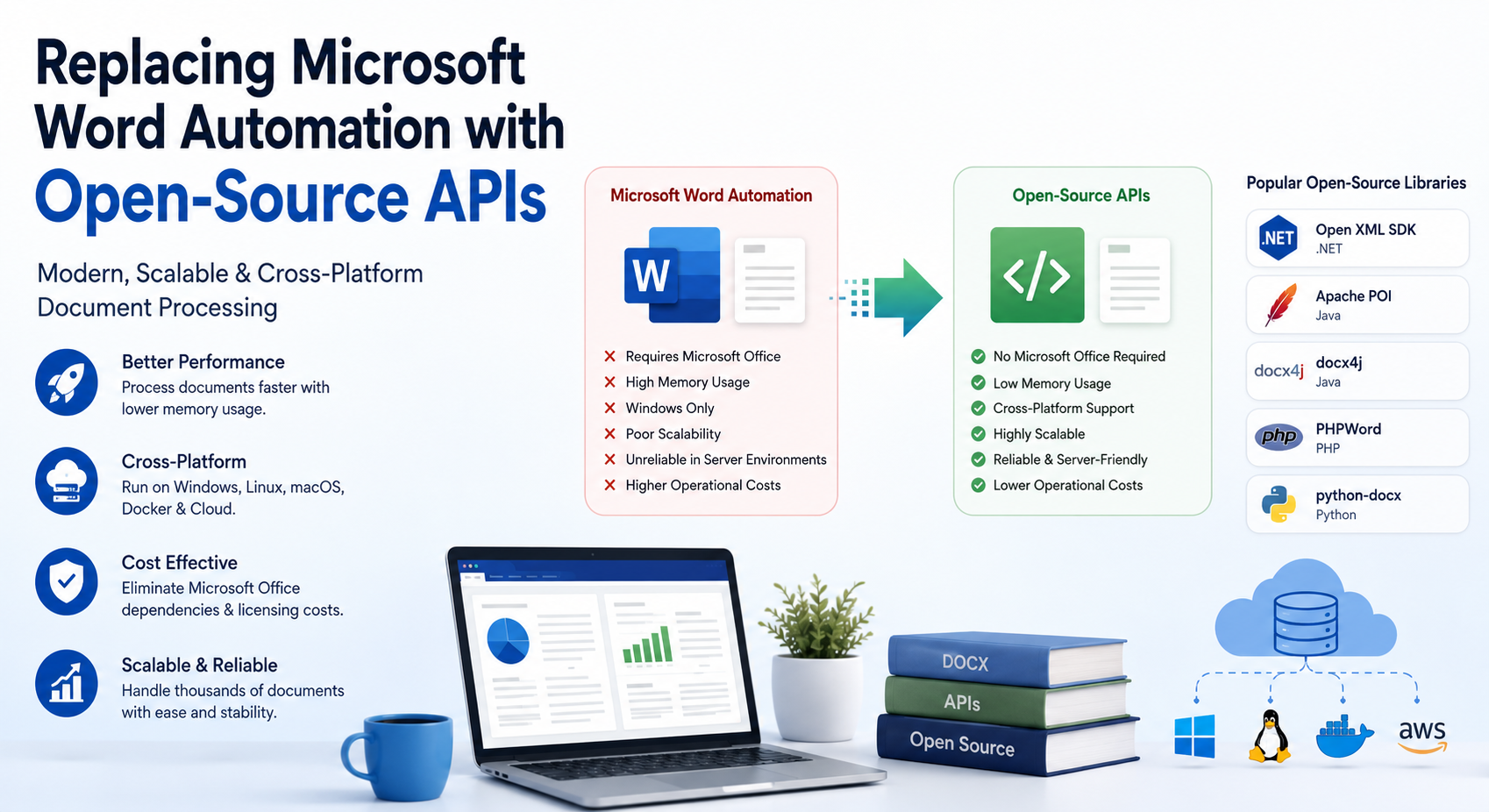
For years, developers relied on Microsoft Word Automation to generate reports, contracts, invoices, and other business documents programmatically. While this approach worked well for desktop applications, it introduced significant challenges when applications moved to cloud, server-side, and containerized environments.
Today, many organizations are replacing Word Automation with modern open-source APIs that provide better performance, improved scalability, and true cross-platform compatibility. These libraries work directly with document formats such as DOCX, eliminating the need for Microsoft Word installations and reducing operational complexity.
In this article, we’ll explore why Word Automation is becoming less popular, the limitations it introduces, and how open-source APIs provide a more efficient alternative.
What Is Microsoft Word Automation?
Microsoft Word Automation refers to controlling Microsoft Word programmatically through technologies such as:
- COM Interop
- Office Automation APIs
- VBA Integration
- OLE Automation
Developers commonly use Word Automation to:
- Generate reports
- Create invoices
- Populate document templates
- Convert DOCX files to PDF
- Edit document content programmatically
Although effective for desktop applications, Microsoft has long recommended avoiding Office Automation in unattended server environments.
Why Replace Microsoft Word Automation?
Modern software architectures have changed dramatically. Organizations increasingly deploy applications to:
- Linux servers
- Docker containers
- Kubernetes clusters
- Cloud-native environments
Unfortunately, Word Automation was never designed for these scenarios.
Common Challenges Include:
- Dependency on Microsoft Office installation
- Licensing and maintenance costs
- Limited scalability
- Windows-only deployment
- Memory consumption
- Unreliable server-side execution
These challenges often become significant bottlenecks as applications grow.
1. Eliminate Microsoft Office Dependencies
One of the biggest advantages of open-source APIs is that they do not require Microsoft Word to be installed.
Benefits:
- Simplified deployments
- Reduced licensing costs
- Fewer compatibility issues
- Easier maintenance
Applications become much easier to deploy across development, staging, and production environments.
2. Improve Performance and Scalability
Word Automation launches a desktop application behind the scenes. This consumes substantial resources.
Open-source APIs work directly with document structures.
Advantages:
- Faster document processing
- Lower memory usage
- Higher throughput
- Better server utilization
This makes them ideal for enterprise applications that process thousands of documents daily.
3. Enable Cross-Platform Development
Most open-source document libraries support:
- Windows
- Linux
- macOS
- Docker
- Kubernetes
Developers can deploy applications wherever they need without worrying about Office compatibility.
4. Increase Reliability
Office applications were designed for interactive users rather than server workloads.
Common automation issues include:
- Hanging processes
- Unexpected dialogs
- User profile dependencies
- File locking conflicts
Open-source APIs avoid these issues because they manipulate document formats directly.
5. Reduce Operational Costs
Running Microsoft Office in production environments often requires:
- Additional licenses
- System administration
- Software updates
- Security management
Open-source alternatives significantly reduce these expenses.
Popular Open-Source Alternatives
Several mature libraries can replace Word Automation.
Open XML SDK (.NET)
Ideal for .NET developers.
Features:
- Create DOCX files
- Modify document content
- Manage styles and formatting
- Insert tables and images
Apache POI (Java)
A popular Java library for Office document processing.
Features:
- Read DOCX files
- Create Word documents
- Extract content
- Modify document structures
docx4j (Java)
A comprehensive DOCX processing library.
Features:
- Template generation
- Content replacement
- PDF conversion
- Advanced WordprocessingML support
PHPWord
A widely used PHP library.
Features:
- Generate Word documents
- Create reports
- Insert images and tables
- Apply styles
python-docx
One of the most popular Python libraries for document automation.
Features:
- Create DOCX files
- Add tables
- Insert images
- Modify content
Common Use Cases
Open-source APIs are frequently used for:
Automated Reporting
Generate:
- Financial reports
- Sales reports
- Business analytics
- Audit documentation
Contract Generation
Create dynamic:
- Employment contracts
- Legal agreements
- Purchase orders
- Service contracts
Invoice Automation
Automatically generate branded invoices from business data.
Document Conversion
Convert between formats such as:
- DOCX to PDF
- DOCX to HTML
- DOCX to ODT
without requiring Microsoft Word.
Migration Best Practices
When replacing Word Automation:
Audit Existing Workflows
Identify:
- Templates
- Formatting requirements
- Conversion workflows
Select the Right Library
Consider:
- Programming language
- Community support
- Performance requirements
Test Thoroughly
Validate:
- Fonts
- Tables
- Images
- Headers and footers
Optimize for Scale
Use:
- Containerization
- Background processing
- Cloud-native deployment
for maximum efficiency.
Why Open-Source APIs Are the Future
Modern document-processing systems require:
- Scalability
- Reliability
- Cloud compatibility
- Cost efficiency
Open-source APIs meet these requirements while eliminating the limitations of desktop-based automation technologies.
As organizations continue moving toward cloud-native architectures, the adoption of open-source document-processing libraries is expected to grow significantly.
Conclusion
Microsoft Word Automation served developers well for many years, but modern applications demand more scalable and flexible solutions. Open-source APIs provide a practical alternative by eliminating Office dependencies, improving performance, and enabling cross-platform deployments.
Whether you’re building document-generation services, conversion pipelines, reporting systems, or enterprise automation platforms, replacing Word Automation with open-source APIs can simplify development while improving reliability and scalability.
Free APIs for Working with Word Processing Files
FAQ
Q1: Why is Microsoft Word Automation not recommended for servers?
A: Microsoft Word was designed for desktop use and can introduce reliability, performance, and scalability issues in server environments.
Q2: Do open-source document APIs require Microsoft Office installation?
A: No. Most open-source APIs work directly with document formats and do not require Microsoft Office.
Q3: Which open-source library is best for .NET applications?
A: Open XML SDK is one of the most popular choices for .NET-based DOCX processing.
Q4: Can open-source APIs create DOCX files?
A: Yes. Libraries such as Open XML SDK, PHPWord, docx4j, and python-docx can create and modify DOCX files.
Q5: What is the biggest advantage of replacing Word Automation?
A: Improved scalability and the removal of Microsoft Office dependencies.
See also
- How to Create a Word Document in C# using FileFormat.Words
- How to Edit a Word Document in C# using FileFormat.Words
- How to Make a Table in Word Files using FileFormat.Words
- How to Perform Find and Replace in MS Word Tables using C#
- How Do I Open a Docx File in C# using FileFormat.Words?
- DOC vs DOCX vs ODT A Technical and Practical Comparison in 2026